What is the best plumbing takeoff software in Florida? There is no single tool that is best for every contractor. The right choice depends on the project type, estimating workflow, team size, budget, drawing formats, estimator experience, cloud or desktop preference, and required integrations.
A small residential plumbing contractor may need simple fixture counting, pipe measurement, reusable assemblies, mobile access, and Excel export. A commercial mechanical contractor may need multi-floor takeoff, riser review, labor assemblies, specification tracking, CAD or BIM workflows, revisions, alternates, and bid-leveling reports.
Florida contractors may estimate single-family homes, multifamily buildings, offices, hotels, restaurants, warehouses, healthcare facilities, and renovations. Hurricane-related details, flood zones, coastal corrosion, storm drainage, local labor rates, and regional material pricing can affect the scope.
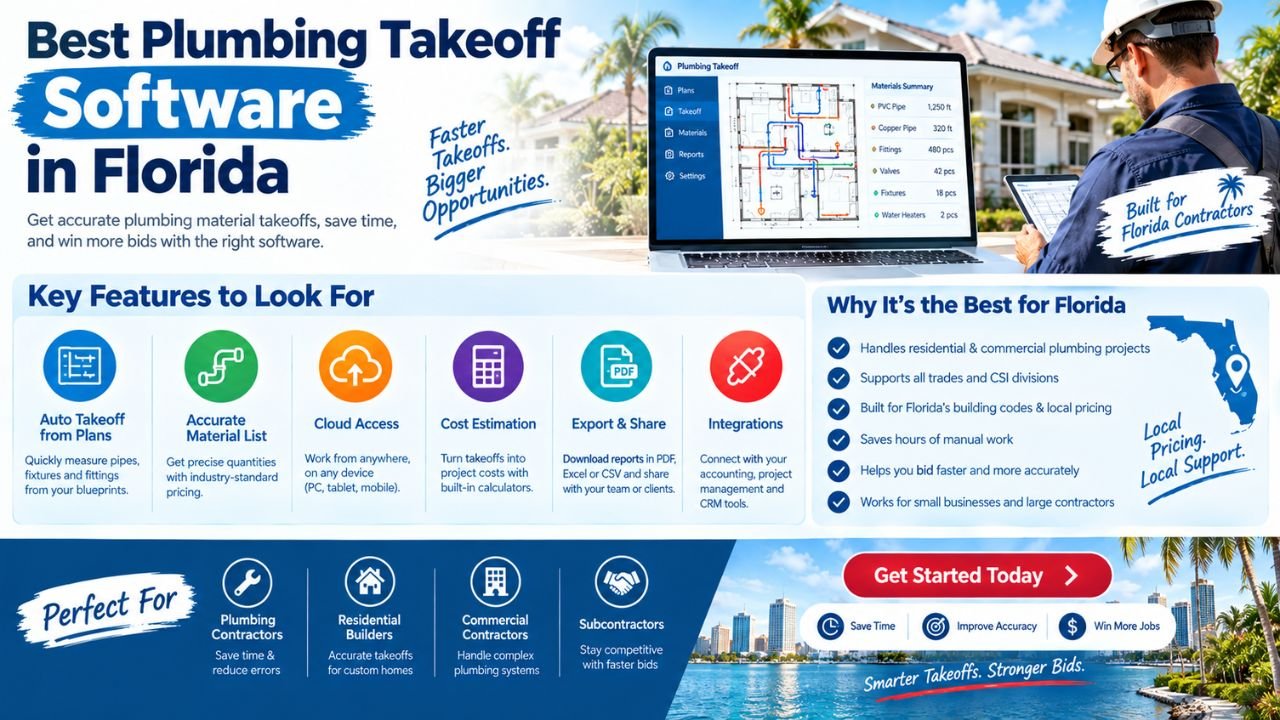
This comparison explains the main categories of plumbing takeoff software and discusses representative tools without declaring a universal winner. Software supports takeoff and estimating, but final scope, pricing, code-related review, and bid decisions require qualified human oversight.
Estimate Florida can help you develop customized plumbing takeoff software for your business. To discuss your requirements, email us at info@estimateflorida.com.
What Is Plumbing Takeoff Software?
Plumbing takeoff software helps estimators measure and count items shown on construction drawings. It may use PDF plans, CAD files, BIM models, image files, manual entries, or field information.
A plumbing quantity takeoff may include:
-
Pipe runs by size and material.
-
Fittings and valves.
-
Plumbing fixtures.
-
Water heaters and equipment.
-
Pumps and tanks.
-
Supports and hangers.
-
Sleeves and penetrations.
-
Insulation.
-
Underground water and sewer.
-
Sanitary waste and vent.
-
Domestic water.
-
Storm drainage.
-
Gas piping.
-
Testing and accessory items.
Takeoff quantities can flow into:
-
Material lists.
-
Labor assemblies.
-
Cost estimates.
-
Bid summaries.
-
Customer proposals.
-
Schedules of values.
-
Excel reports.
-
PDF reports.
-
Change-order estimates.
A takeoff tool is not always a complete estimating platform. Some programs focus on measurement, while others connect takeoff quantities to assemblies, labor, materials, markup, reporting, and bid management.
The estimator still needs to review the plans, specifications, schedules, addenda, details, and project assumptions. Software results depend on drawing quality, configuration, pricing data, assemblies, and human review.
How to Decide Which Plumbing Takeoff Software Is Best
The most useful decision framework begins with the contractor’s actual workflow.
Residential versus commercial work
Residential plumbing projects may involve:
-
New homes.
-
Bathroom and kitchen remodeling.
-
Repiping.
-
Water heaters.
-
Sewer and drain work.
-
Pools and outdoor kitchens.
-
Emergency repairs.
Commercial work may require:
-
Multi-floor takeoff.
-
Repeated apartment units.
-
Large fixture schedules.
-
Riser and isometric review.
-
Complex equipment connections.
-
Specifications and addenda.
-
Multiple estimators.
-
Bid leveling and alternates.
A simple system may be efficient for residential service work but too limited for a large commercial project.
New construction versus remodeling
New construction generally offers more complete drawings and repeatable assemblies. Remodeling often requires:
-
Existing-condition notes.
-
Demolition quantities.
-
Access allowances.
-
Temporary shutdowns.
-
Patching and restoration.
-
Unknown-condition allowances.
The software should support the type of uncertainty the company faces most often.
PDF-only versus CAD/BIM workflows
If most projects arrive as PDFs, a strong PDF takeoff tool may be sufficient. Contractors receiving CAD or BIM files may need a platform that can import, interpret, or coordinate those formats.
Desktop versus cloud access
Desktop software may offer detailed customization and local workflows. Cloud estimating may be more useful for teams that share plans, review estimates remotely, or work from several offices.
Manual versus AI-assisted takeoff
AI-assisted tools may help count symbols, identify repeated elements, organize sheets, or draft quantities. They still require checking, especially where drawings are incomplete, symbols are unusual, or specifications change the scope.
Simple material lists versus complete estimating
Some contractors only need quantities. Others need:
-
Labor.
-
Material databases.
-
Waste factors.
-
Markup.
-
Alternates.
-
Change orders.
-
Proposals.
-
Job costing.
-
Accounting integration.
The “best” tool is the one that fits the company’s actual workflow and is used correctly and consistently.
Key Features to Compare
A contractor should not evaluate features only by their presence. The practical questions are: Does the feature work for plumbing? Can users learn it? Can it handle the company’s drawings? Can the company export and review the data?
Plumbing Systems the Software Should Handle
A useful plumbing takeoff system should organize quantities by system rather than placing everything into one list.
Systems may include:
-
Domestic cold water.
-
Domestic hot water.
-
Hot-water return and recirculation.
-
Sanitary waste and vent.
-
Storm drainage.
-
Natural gas or fuel gas.
-
Medical gas, where applicable.
-
Water heaters and boilers.
-
Pumps and tanks.
-
Backflow prevention.
-
Commercial fixtures and trim.
-
Kitchen equipment connections.
-
Floor drains and trench drains.
-
Roof drains and leaders.
-
Grease interceptors.
-
Underground water and sewer.
-
Supports and hangers.
-
Sleeves.
-
Insulation.
-
Testing and commissioning.
System-based organization helps estimators:
-
Review related quantities together.
-
Apply appropriate labor assemblies.
-
Separate material pricing.
-
Prepare alternates.
-
Compare design options.
-
Create schedules of values.
-
Identify missing scope.
-
Communicate clearly with project managers.
For example, a storm-drainage takeoff should not be mixed with domestic-water quantities. Separating systems makes it easier to review pipe sizes, fittings, access points, installation conditions, and pricing assumptions.
Best Software Categories for Florida Contractors
Cloud-based takeoff platforms
Cloud-based platforms typically provide browser access, centralized projects, shared documents, and collaboration features.
Advantages:
-
Team collaboration.
-
Access from different locations.
-
Centralized plan files.
-
Easier sharing between estimators and project managers.
-
Regular platform updates.
-
Reduced dependence on one office computer.
Limitations:
-
Subscription costs.
-
Dependence on internet access.
-
Possible limits on customization.
-
Data and workflow controlled partly by the provider.
-
Feature availability may vary by plan.
Cloud estimating can be practical for teams with remote estimators or multiple offices.
Desktop takeoff and estimating software
Desktop tools may provide detailed assemblies, strong customization, and local workflows.
Advantages:
-
Detailed estimating controls.
-
Local or desktop-based operation.
-
Strong assembly customization.
-
Familiar file-based workflows.
-
Useful offline capabilities in some configurations.
Limitations:
-
Installation and maintenance.
-
More responsibility for file management.
-
Possible compatibility issues.
-
Collaboration may require additional systems.
-
Learning curve can be significant.
AI-assisted takeoff tools
AI-assisted tools may provide:
-
Automated fixture recognition.
-
Pipe measurement assistance.
-
Drawing search.
-
Sheet organization.
-
Draft quantity generation.
-
Revision identification.
The limitation is that AI can misread poor scans, unclear symbols, unusual equipment, overlapping lines, and incomplete drawings. It should assist an estimator rather than replace review.
Full estimating and bid-management platforms
These platforms may combine:
-
Takeoff.
-
Cost databases.
-
Labor.
-
Assemblies.
-
Bid management.
-
Change orders.
-
Reporting.
-
Proposal generation.
-
Job-costing workflows.
They may be suitable for larger contractors but can introduce higher cost, complexity, training requirements, and administration.
Excel-connected takeoff workflows
Excel-connected workflows offer:
-
Flexible custom calculations.
-
Familiar spreadsheet structures.
-
Easy client-specific formatting.
-
Custom price lists.
-
Simple data export.
However, manual setup can increase the risk of formula errors, inconsistent versions, and data-entry problems unless the company uses strong controls.
Software Comparison Table
The following table compares representative categories and tools. Product capabilities, subscriptions, trials, and pricing may change, so contractors should verify current information directly with each provider before making a decision.
For example, PlanSwift’s official materials describe desktop construction takeoff and estimating, assembly-based estimating, Excel integration, and AI features such as auto-count and auto-scale.planswift+1
STACK’s official materials describe cloud-based takeoff, measurement tools, templates, plan comparison, and estimating features that vary by plan.stackct+1
Trimble describes AutoBid Mechanical as a commercial mechanical estimating system with plumbing and piping support, customizable assemblies, autofitting generation, reporting, and pricing connections.trimble+1
These descriptions come from provider materials and should not be interpreted as independent performance rankings.
Best Plumbing Takeoff Software for Small Businesses
Small Florida plumbing businesses should prioritize usability over excessive complexity.
Important features may include:
-
Easy setup.
-
Affordable pricing structure.
-
Simple fixture and pipe takeoff.
-
Mobile or browser access.
-
Fast estimate creation.
-
Reusable assemblies.
-
Excel and PDF export.
-
Customer proposal generation.
-
Basic job costing.
-
Minimal training requirements.
-
Clear data ownership.
-
Reliable support.
A small contractor estimating bathroom remodels, water-heater replacements, repiping, and single-family homes may not need enterprise bid management or advanced BIM functionality.
The best choice may be a simple cloud platform, a desktop estimating tool, an Excel-connected workflow, or a custom lightweight system. The decision should be based on the actual project volume and the time users can spend maintaining the system.
Best Software for Commercial Plumbing Contractors
Commercial contractors often need more advanced organization.
Important features include:
-
Multi-floor takeoff.
-
Riser and isometric review.
-
CAD or BIM support.
-
Specification coordination.
-
Revision and addenda tracking.
-
Large fixture schedules.
-
Pipe sizing and system organization.
-
Labor assemblies.
-
Bid leveling.
-
Alternates.
-
Unit prices.
-
Change-order estimating.
-
Multi-user review.
-
Historical estimate libraries.
-
Supplier pricing.
-
Excel and PDF reports.
Commercial plumbing estimating software should also preserve assumptions and scope clarifications. A project manager may need to understand why a quantity was included, excluded, or assigned to another trade.
Best Software for Residential Plumbing Contractors
Residential plumbing contractors may prioritize field-friendly tools over advanced BIM capabilities.
The system should be able to support:
-
New homes.
-
Bathroom remodeling.
-
Kitchen renovations.
-
Repiping.
-
Water-heater replacement.
-
Sewer and drain work.
-
Additions.
-
Outdoor plumbing.
-
Pools and outdoor kitchens.
-
Emergency service.
-
Maintenance estimates.
Useful field features include photographs, customer approvals, standard service items, mobile estimating, work-order conversion, payment links, and invoice generation.
For residential service, the best plumbing takeoff software may not be the tool with the most advanced drawing features. A fast, practical system that technicians and office staff consistently use may be more suitable.
Florida-Specific Takeoff Considerations
Florida conditions can affect the way assemblies, notes, pricing, and project assumptions are configured.
Hurricane and wind-related details
Commercial and residential plumbing systems may require coordination with building structure, exterior penetrations, equipment supports, and roof-related work. Estimators should review the project documents rather than assume every job uses the same assemblies.
Flood zones and elevated equipment
Flood exposure may affect equipment placement, service elevations, site utilities, and drainage. The official FEMA Flood Maps can provide relevant flood hazard information.fema+1
Storm drainage
Florida’s heavy rainfall makes storm drainage an important estimating category on many projects. Roof drains, leaders, catch basins, area drains, underground piping, and site connections should be reviewed separately from sanitary systems.
Coastal corrosion
Coastal projects may require attention to salt-air exposure, material selection, fasteners, supports, equipment, and corrosion-related maintenance assumptions.
Moisture and humidity
High humidity can affect construction sequencing, storage, drying, testing, and conditions around plumbing penetrations and equipment rooms.
Outdoor plumbing
Pools, outdoor kitchens, hose bibs, irrigation interfaces, and exterior service areas can be missed when estimators focus only on interior plans.
Slab-on-grade construction
Slab penetrations, underground drainage, sleeves, rough-ins, and excavation may need separate takeoff categories. Access for remodeling or repiping may be particularly difficult.
Regional pricing and local scope
Labor and material conditions can vary between South Florida, Central Florida, North Florida, coastal communities, and inland markets. Software should allow regional price libraries rather than forcing a single universal rate.
The Florida Building Code can provide official construction information, while the Florida Department of Business and Professional Regulation provides professional and business information. For local permit processes, contractors can review resources such as the Miami-Dade County Building Department. Software can organize scope but does not determine legal compliance or replace professional review.
How to Test Plumbing Takeoff Software Before Buying
A real project test is more useful than a short marketing demonstration.
Use this evaluation process:
-
Upload a real plumbing plan.
-
Confirm the scale.
-
Count fixtures.
-
Measure representative pipe runs.
-
Review fittings and valves.
-
Test repeated floors or units.
-
Organize quantities by system.
-
Export quantities to Excel.
-
Create a sample estimate.
-
Compare output with a manually checked takeoff.
-
Test revision handling.
-
Review user permissions.
-
Test data export.
-
Ask about training and support.
-
Document any missing workflow.
Test at least one project that reflects your normal work. A residential contractor should test a house, remodel, or repiping project. A commercial contractor should test risers, multiple floors, fixture schedules, specifications, and addenda.
Ask:
-
Can users edit assemblies?
-
Can prices be updated easily?
-
Can the system separate pipe sizes?
-
Can it count fixtures accurately on your plans?
-
Can it track exclusions?
-
Can it handle revised drawings?
-
Can multiple users review one estimate?
-
Can the company retrieve old bids?
-
Can reports match client requirements?
Common Mistakes When Choosing Takeoff Software
Avoid these mistakes:
-
Choosing based only on marketing claims.
-
Assuming AI output is automatically correct.
-
Ignoring drawing quality.
-
Failing to test plumbing-specific workflows.
-
Not checking support for risers and isometrics.
-
Using outdated price libraries.
-
Ignoring labor assemblies.
-
Not testing Excel and PDF exports.
-
Forgetting data ownership.
-
Underestimating training requirements.
-
Buying more features than the business needs.
-
Failing to involve actual estimators.
-
Ignoring field or project-manager feedback.
-
Choosing a system that cannot handle revisions.
-
Assuming CAD or BIM files are always complete.
-
Failing to separate domestic water, sanitary, storm, and gas.
-
Overlooking fittings, valves, sleeves, supports, and insulation.
The software should fit the company’s process. The company should not purchase a complex platform without defining who will maintain assemblies, prices, templates, and users.
Customized Plumbing Takeoff Software from Estimate Florida
Estimate Florida can support customized plumbing software development for contractors with specialized requirements.
The process may include:
-
Reviewing the company’s estimating workflow.
-
Identifying project types and plumbing systems.
-
Defining takeoff and estimate requirements.
-
Creating company-specific assemblies and templates.
-
Planning pricing, labor, and waste-factor libraries.
-
Designing PDF, Excel, and reporting outputs.
-
Developing and testing the system.
-
Training users.
-
Refining the workflow after launch.
-
Adding integrations or future modules as needed.
Possible custom features include:
-
Florida regional pricing.
-
Residential templates.
-
Commercial templates.
-
Fixture libraries.
-
Pipe measurement tools.
-
Riser workflows.
-
AI-assisted draft takeoffs.
-
Excel and PDF exports.
-
Revision tracking.
-
Change-order modules.
-
Customer portals.
-
Accounting integrations.
-
Mobile review.
-
Job-costing dashboards.
-
Supplier price libraries.
-
Bid-leveling reports.
Custom software may be useful when a company has a specialized workflow that standard tools do not support efficiently. It also requires clear planning, testing, user training, maintenance, and future improvement.
Estimate Florida can help you develop customized plumbing takeoff software for your business. To discuss your requirements, email us at info@estimateflorida.com.
Cost and Pricing Models
Plumbing takeoff software may use several pricing models:
-
Free or limited tools.
-
Monthly subscriptions.
-
Per-user pricing.
-
Per-project pricing.
-
One-time desktop licenses.
-
Enterprise software.
-
Custom software development.
-
Setup and implementation.
-
Training.
-
Support and maintenance.
-
Integrations and upgrades.
Do not assume the cheapest option is best. Total cost can include:
-
User subscriptions.
-
Implementation.
-
Data migration.
-
Training.
-
Price-library setup.
-
Custom reporting.
-
Support.
-
Storage.
-
Integrations.
-
Internal administration.
-
Time spent maintaining assemblies.
Product pricing, subscription plans, trials, and features may change. Contractors should verify current information directly with the provider before purchasing.
Custom development pricing depends on the number of users, modules, integrations, input formats, reporting requirements, mobile features, data requirements, and complexity. Estimate Florida does not provide a fixed custom software price without reviewing the requirements.
Final Recommendation
Small residential contractors may benefit from simple cloud or Excel-connected tools with fixture counting, pipe measurement, reusable assemblies, mobile access, and fast proposals.
Commercial plumbing contractors may need advanced assemblies, multi-floor workflows, riser and isometric review, revision tracking, addenda, specifications, alternates, change orders, and CAD or BIM support.
Larger estimating teams may benefit from enterprise estimating and bid-management systems with shared libraries, permissions, reporting, and historical estimate management. Companies with unique workflows may benefit from customized software designed around their projects, pricing, users, and integrations.
The best plumbing takeoff software in Florida is the system that accurately supports the company’s projects, pricing, people, and review process. It should be practical enough for daily use and flexible enough to handle the project types the contractor actually estimates.
No software replaces qualified judgment. Drawing quality, configuration, assemblies, pricing data, labor assumptions, project conditions, and human review all affect the result.
If you need plumbing takeoff software designed around your business, email Estimate Florida at info@estimateflorida.com to discuss your requirements.