In the highly competitive world of Florida construction, accuracy and speed are everything. Whether you are bidding on a custom beachfront home or a massive commercial development, utilizing a proper construction estimate template Excel is one of the most effective ways to protect your profit margins. A well-built estimate spreadsheet does more than just add up numbers; it helps contractors organize costs, prepare bids, and track budgets efficiently from the initial takeoff to the final closeout.
Florida projects face a unique set of challenges that simply do not exist in other parts of the country. From strict hurricane wind-load codes and flood zone elevation requirements to regional labor shortages and volatile material pricing, every line item carries weight. A generic template often falls short, meaning builders need a specialized construction estimating Excel template that reflects the realities of building in the Sunshine State.
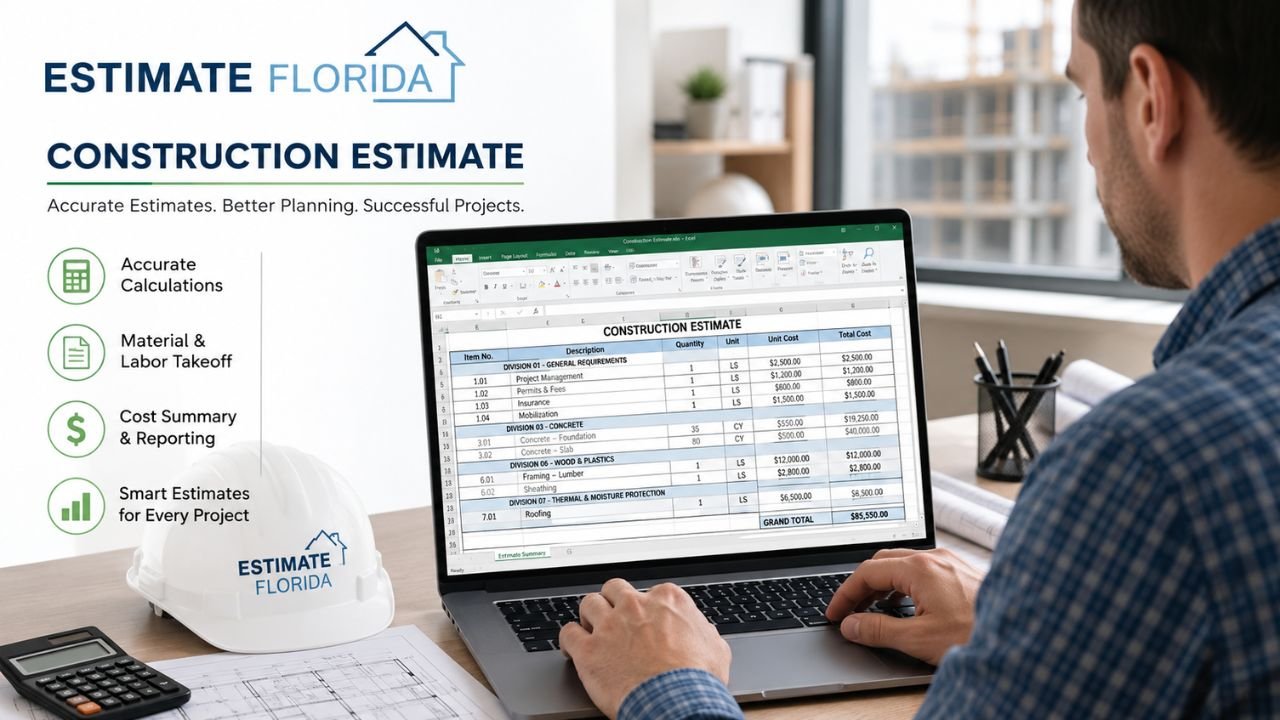
In this comprehensive guide, we will explore what a high-quality Excel construction estimate template in Florida should include, how to use it step by step, and how an accurate approach to estimating minimizes errors, wins more bids, and sets your project up for financial success.
What Is a Construction Estimate Template Excel?
A construction estimate template Excel is a pre-formatted spreadsheet designed to calculate and organize all the anticipated costs of a construction project. Rather than starting from scratch for every bid, an Excel estimator provides a structured, repeatable framework. It systematically categorizes materials, labor, equipment, subcontractor fees, overhead, and profit into easily readable columns and rows.
Because Microsoft Excel is highly customizable, these templates can be as simple or as complex as a project demands. An Excel bid estimate template typically uses built-in formulas to automatically calculate subtotals, apply tax rates, and determine final bid prices based on the data entered.
For general contractors and specialty trades, a robust cost estimate template acts as the central hub for the bidding process. Whether you are framing a single-family home or pouring concrete for a multi-story high-rise, having a reliable construction bid template ensures that no critical cost—from the smallest box of fasteners to the largest equipment rental—slips through the cracks.
Why Florida Projects Need a Specialized Excel Template
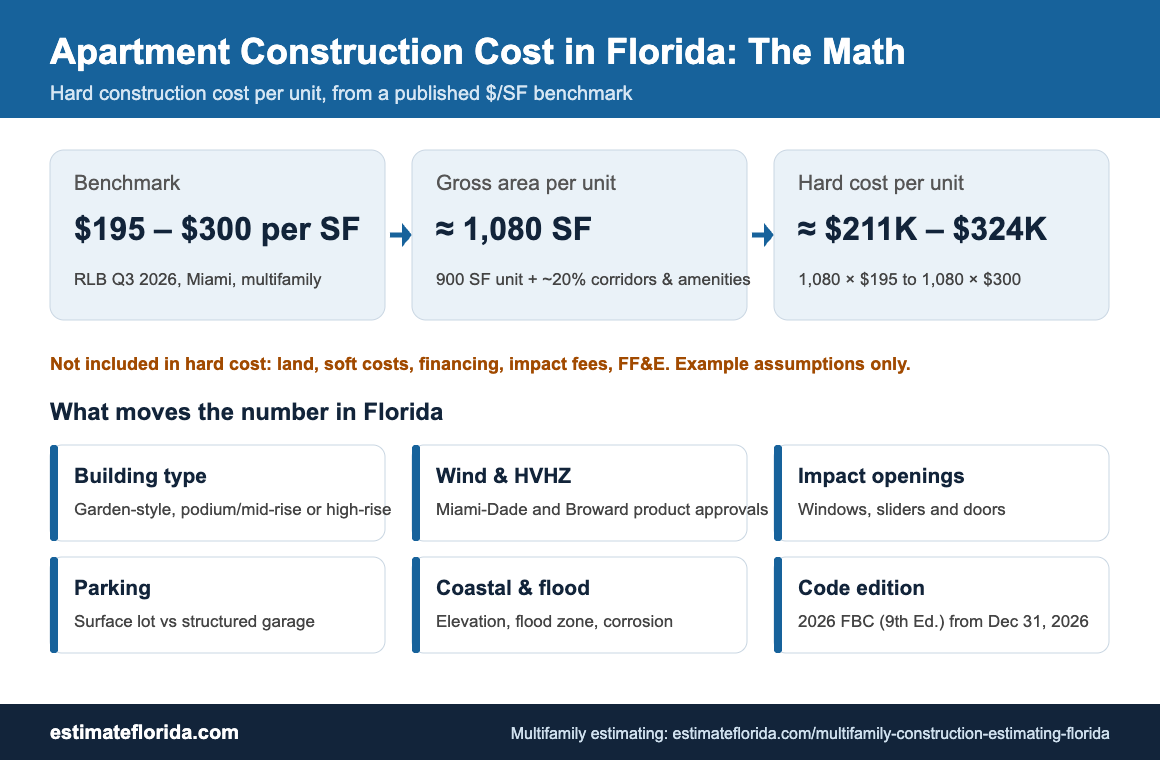
Estimating in Florida requires a hyper-local approach. The state’s unique geography, climate, and regulatory environment mean that a one-size-fits-all construction estimate spreadsheet Excel simply won’t work. When pricing a job in Florida, your template must account for several distinct factors:
-
Hurricane and Wind-Load Requirements: Coastal and inland projects alike must comply with stringent wind-borne debris protocols. This means calculating costs for impact-resistant windows, reinforced garage doors, and specialized hurricane tie-downs.
-
Flood Zone Construction and Elevation: Building in a FEMA-designated flood zone often dictates raised foundations, breakaway walls, and specific flood-proofing measures.
-
Moisture and Corrosion Concerns: High humidity and salt spray heavily influence material selection. A good template prompts you to include costs for vapor barriers, stainless-steel fasteners, and specialized protective coatings.
-
Regional Labor and Material Pricing: The cost of concrete in Miami can differ vastly from the cost in the Panhandle. Your template must allow for easy adjustment of regional pricing variables.
-
Local Permit and Impact Fees: Florida municipalities often charge significant impact fees for water, sewer, and schools, which must be clearly categorized in your estimate.
Understanding what are the 7 stages of construction helps contractors structure their Excel templates chronologically, ensuring costs align with the actual progression of the build. Furthermore, mastering residential construction estimating in this market requires a template that actively addresses Florida’s localized building demands.
What Should Be in a Good Construction Estimate Template?
A professional Florida construction estimate template should be meticulously organized. Most industry professionals align their templates with the Construction Specifications Institute (CSI) MasterFormat, though smaller projects may use a simplified, division-by-division cost breakdown.
Here is a breakdown of what the core sections of your template should include:
| Section / Division | Description of Contents to Include |
| Project Information | Project name, location, date, client details, estimator name. |
| General Requirements | Permits, impact fees, temporary utilities, dumpsters, site fencing, insurance. |
| Site Work & Foundation | Clearing, grading, excavation, piling, concrete slabs, and block work. |
| Framing & Structure | Lumber, trusses, structural steel, masonry, hurricane straps, and hardware. |
| Exterior Finishes | Stucco, siding, roofing (shingles/metal/tile), soffits, fascia, and moisture barriers. |
| Doors & Windows | Exterior doors, interior doors, impact-resistant glazing, and garage doors. |
| MEP Systems | Mechanical (HVAC), Electrical (wiring/fixtures), and Plumbing (rough-in/trim). |
| Interior Finishes | Drywall, insulation, paint, flooring, baseboards, and millwork. |
| Summary & Totals | Subtotals, overhead percentage, contingency fund, profit margin, and total bid. |
Beyond just numbers, a highly functional Excel estimator should include columns for material quantities and unit prices, labor hours and rates, and equipment and subcontractor costs. It must also feature a section for notes, exclusions, and assumptions to protect the contractor legally and financially.
If you are looking for an example of how to format these line items, reviewing a sample BOQ for house construction excel complete format with example is a great way to understand the level of detail required for a comprehensive bid.
How to Use a Construction Estimate Template Excel
Having a great template is only half the battle; knowing how to use it effectively is what wins profitable jobs. Here is a step-by-step process for utilizing your template on a Florida build:
-
Enter Project Details and Location: Start by filling in the header. The location is critical because a home in the High-Velocity Hurricane Zone (HVHZ) in Broward County will be priced very differently than a home in Central Florida.
-
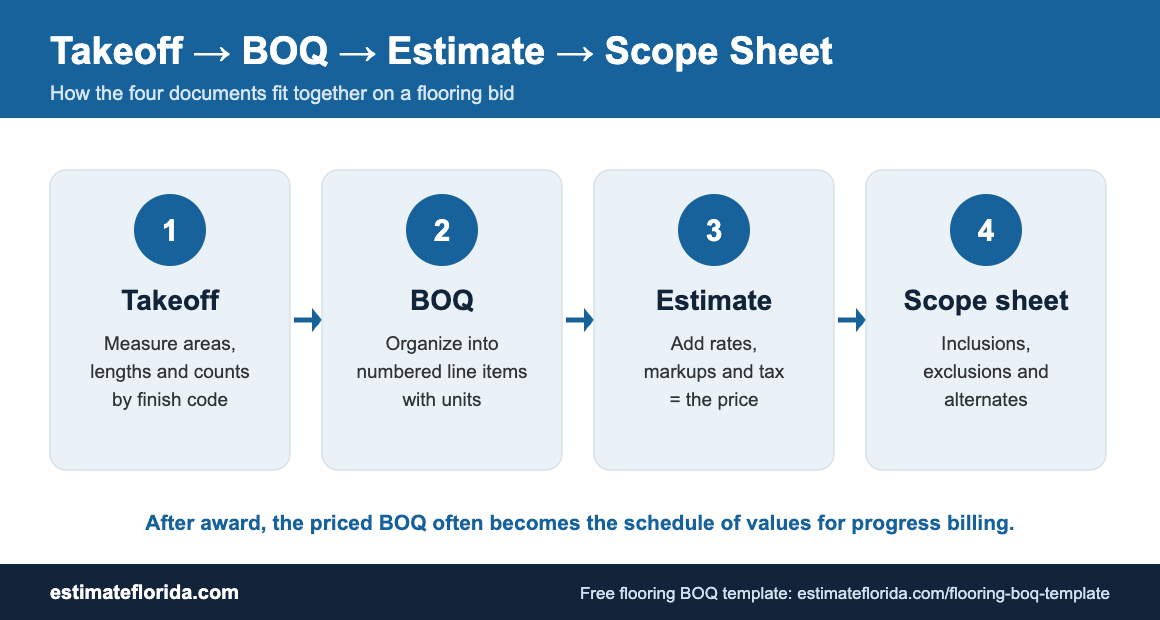
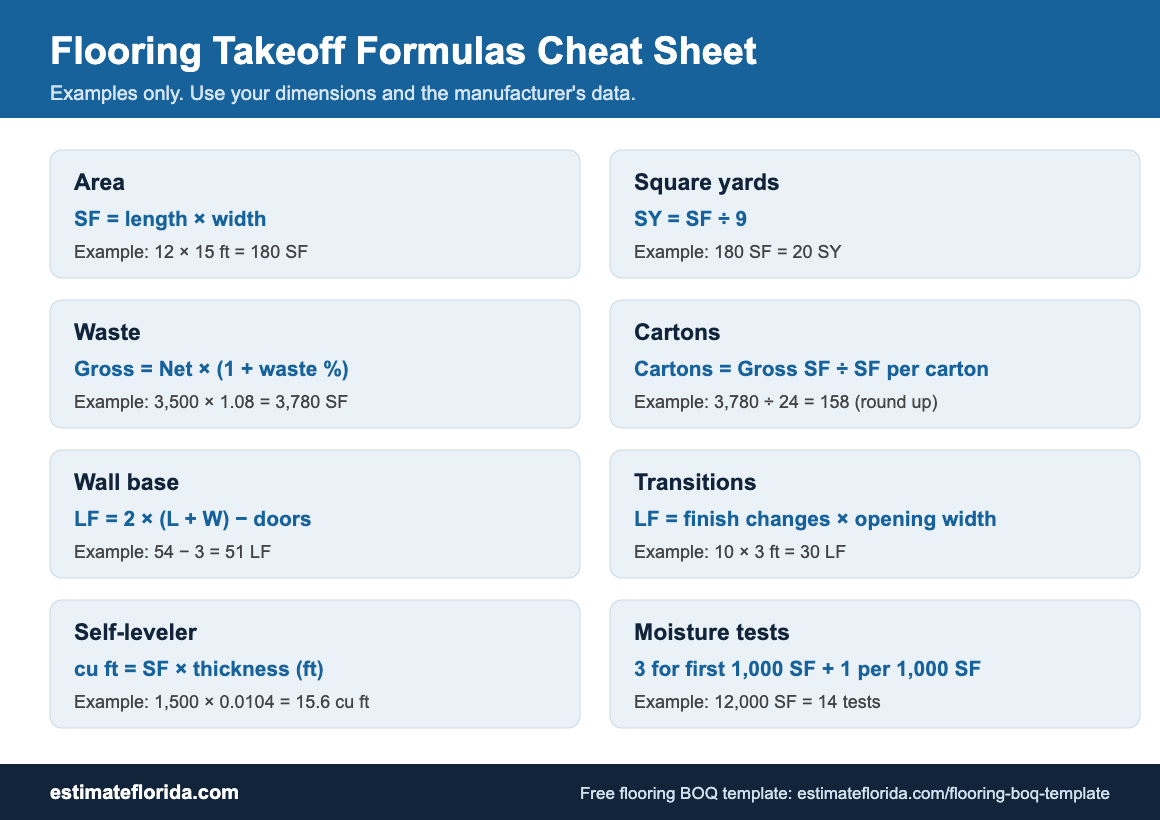
Input Quantities from Takeoffs: Perform a meticulous material takeoff using your blueprints. Enter the exact quantities of concrete (cubic yards), lumber (board feet), drywall (square feet), and roofing materials into your spreadsheet.
-
Apply Local Florida Unit Prices: Update the material cost columns with current local supplier pricing. Material costs fluctuate rapidly in Florida, so never rely on outdated historical data.
-
Add Labor Hours and Rates: Estimate the time required for each task and apply the appropriate hourly labor rates, factoring in potential overtime, workers’ compensation, and payroll taxes.
-
Include Equipment and Subcontractor Lines: Plug in quotes received from specialty trades (plumbers, electricians, roofers) and add costs for heavy equipment rentals like excavators or boom lifts.
-
Add Overhead, Contingency, and Profit: Apply your company’s standard overhead markup. Always include a contingency line (typically 5% to 10%) for unforeseen Florida weather delays or material spikes, followed by your profit margin.
-
Review Totals and Check for Missing Items: Do a final sweep. Ensure all Excel formulas are functioning correctly and that no essential code-driven items have been left out.
Remember, your template is a living document. It should be updated constantly as designs evolve, change orders occur, or project scopes shift.
Benefits of Using a Professional Excel Template
Moving away from “back-of-the-envelope” math and adopting a structured construction cost estimate Excel file provides immediate operational advantages.
First, it drastically reduces calculation errors. Because the spreadsheet formulas handle the math, the risk of misplacing a decimal or forgetting to add tax is virtually eliminated. Second, it speeds up bid preparation. When your template is pre-populated with standard line items, you spend your time executing the takeoff rather than formatting a document.
A standardized template also makes it incredibly easy to compare options, value-engineer alternates, and communicate transparently with project owners and subcontractors. Furthermore, it creates a reusable baseline for future projects. If a client asks how much does it cost to build a house in Florida, you can look back at past templates to provide a fast, accurate historical baseline. The same applies to commercial developers asking how much does it cost to build a warehouse in Florida. A well-maintained archive of past Excel estimates is a goldmine of proprietary cost data.
Types of Construction Estimate Templates in Excel
Not all projects require the same level of granularity. Experienced estimators generally maintain a library of different templates tailored to specific project phases and scopes:
-
Simple Residential Estimate: A high-level template used for conceptual budgeting or standard tract home building where costs are highly predictable.
-
Detailed Multi-Division Estimate: A comprehensive template utilizing all CSI divisions, designed for custom homes, large commercial bids, and complex architectural designs.
-
Trade-Specific Templates: Focused spreadsheets for individual subcontractors. For example, a drywall template will focus heavily on square footage, board types, finishing levels, and joint compound, while ignoring site work.
-
Renovation and Remodel Templates: These feature specialized line items for demolition, site protection, debris removal, and marrying old structures with new construction.
-
Commercial and Warehouse Templates: Designed to handle massive quantities, tilt-wall concrete construction, heavy steel structures, and commercial-grade MEP systems.
The level of detail in your Excel construction estimate template Florida should always match the project stage, transitioning from rough conceptual numbers to hard bid exactness as the blueprints are finalized.
Common Mistakes When Using Excel Templates
Even the best Excel bid estimate template can lead to disastrous financial losses if used incorrectly. Avoid these common pitfalls when estimating your next Florida project:
-
Using Outdated or National Cost Data: National averages do not apply to Florida. Relying on generalized cost books rather than calling local Florida suppliers will result in dangerously inaccurate bids.
-
Hard-Coding Numbers Instead of Using Formulas: Typing a final number directly into a “Total” cell instead of letting the
=(Quantity * Unit Price)formula do the work breaks the spreadsheet. If quantities change later, the total will not update, leading to costly errors. -
Missing Code-Driven Items: Forgetting to include coastal-specific items like impact windows, specialized roof underlayments, hurricane straps, and flood-proofing materials is a fast way to ruin a profit margin.
-
Forgetting Soft Costs and Fees: Permitting, architectural fees, builder’s risk insurance, dump fees, and portable toilets add up quickly. If they aren’t in the template, they come out of your pocket.
-
Not Separating Base Bid from Alternates: When owners ask for upgrade options (e.g., a standing seam metal roof instead of architectural shingles), those numbers must be separated from the base bid to prevent confusion.
A rigorous, well-structured template naturally guides the user away from these mistakes by forcing them to fill out every necessary field.
Florida Code, Flood, and Regional Cost Considerations
Florida is a heavily regulated construction market, and your estimate spreadsheet must reflect the state’s unique environment. Understanding how state codes influence material and labor costs is the mark of a seasoned estimator.
Hurricane-Resistant Construction: The Florida Building Code mandates strict wind mitigation techniques. Your template must include specific lines for structural hardware (Simpson Strong-Ties), enhanced roof deck attachment (ring-shank nails), and secondary water barriers.
Flood Elevation Requirements: When estimating near the coast or inland waterways, reference FEMA Flood Maps. If a property requires fill dirt to reach base flood elevation (BFE) or necessitates driven pilings instead of a standard monolithic slab, those costs must be aggressively quantified.
Regional Price Variances: Estimating in Florida requires localized knowledge. Sourcing materials in the Florida Keys involves massive shipping and logistical premiums compared to building in Jacksonville or Orlando. Always check your pricing against trusted databases like RSMeans but verify with local vendors.
Licensing and Compliance: Operating a compliant job site incurs costs. Ensuring your subs are properly vetted via the Florida Department of Business and Professional Regulation prevents costly project shutdowns. This commitment to compliance is a great selling point when owners are figuring out how to choose a contractor to build a house in Florida.
Always build these regional factors into your template’s “Assumptions and Exclusions” tab so the client understands exactly what is—and isn’t—covered in your price.
How to Get or Build Your Own Construction Estimate Template Excel
If you do not currently have a reliable template, you have a few options for acquiring one. You can download a basic template online and manually customize the columns to fit your specific workflow. Alternatively, you can adapt an existing BOQ (Bill of Quantities) or estimate sheet from a previous successful project.
For many growing construction firms, the best route is to work with an experienced construction estimator to create a highly tailored, custom template. A customized setup ensures the spreadsheet matches your exact estimating workflow, standard material preferences, and typical markup structures.
Having streamlined administrative and estimating processes is a major part of running a successful construction business. If you are newer to the industry and expanding your operational toolkit, understanding the administrative side is just as important as the physical building. Resources on how to become a builder in Florida, how to become a contractor in Florida, and how to become a general contractor in Florida can provide excellent guidance on setting up your back-office systems. Additionally, having a clear understanding of how to get a building permit in Florida will help you accurately assign soft costs and timeline delays within your Excel estimating templates.
Final Thoughts
A solid construction estimate template Excel is far more than a simple grid of numbers—it is one of the most powerful risk management tools in a Florida contractor’s arsenal. By meticulously organizing material takeoffs, standardizing labor rates, and accounting for the state’s unique hurricane codes, flood zones, and regional cost variances, a professional template ensures that every bid you submit is accurate, competitive, and profitable.
Taking the time to build, customize, and refine your Excel template today will pay massive dividends tomorrow. It speeds up the bidding process, prevents catastrophic calculation errors, and allows you to communicate with clarity and confidence to clients and subcontractors alike. When you trust your numbers, you can bid aggressively, build efficiently, and consistently grow your construction business in the thriving Florida market.