The construction industry is complex, and keeping a project on time and under budget requires more than just spreadsheets and whiteboards. To succeed, teams need robust tools that plan, coordinate, and control projects more efficiently. Searching for the top 10 construction management software platforms is a great first step toward digitizing your business, but with so many options on the market, finding the perfect fit can feel overwhelming.
👉Buy Construction BOQ Template at $97 Only
Different platforms are built for different company sizes, project types, and specific workflows. What works perfectly for a custom home builder might be completely useless for a commercial general contractor. In this comprehensive guide, we will compare the top 10 construction management software options available today, explain what features matter most, and help you choose the right platform to streamline your field collaboration, project controls, and estimating integration.
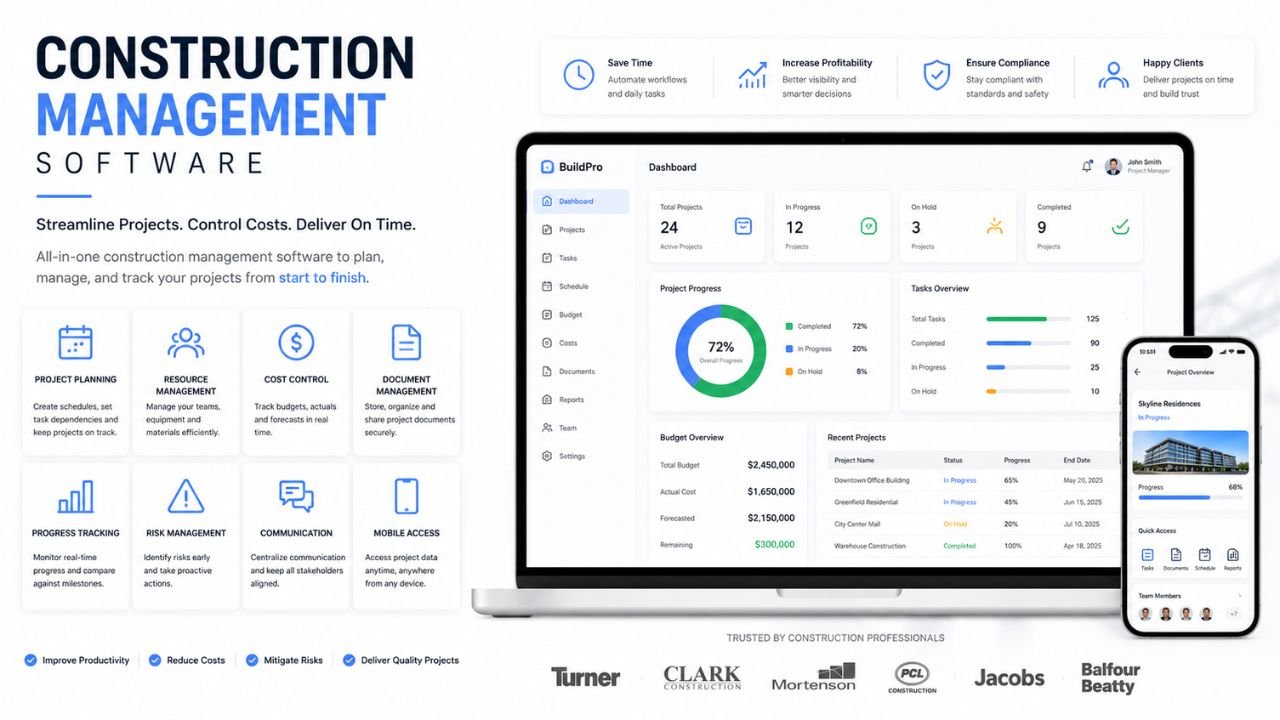
What Is Construction Management Software?
Construction management software is a digital platform designed to help contractors, project managers, and owners oversee every aspect of a building project. From the pre-construction phase to the final punch list, this software acts as a single source of truth for your entire team.
Instead of keeping project data scattered across emails, text messages, and paper files, construction management software centralizes everything. It helps teams manage schedules, documents, communication, costs, and field activity in one secure place. By moving operations to the cloud, project managers in the office can see exactly what superintendents are doing on the jobsite in real time.
Ultimately, jobsite management platforms improve visibility across the project lifecycle. They bridge the gap between the field and the office, ensuring that everyone is working off the most up-to-date drawings, RFIs, and schedules. This prevents costly rework, reduces disputes, and ensures the project moves forward smoothly.
👉Buy Construction BOQ Template at $97 Only
What Should Construction Management Software Include?
When evaluating contractor software, it is important to look beyond the marketing pitch and focus on core functionality. While some platforms specialize in accounting and others in field execution, the best comprehensive systems should include the following features:
-
Scheduling: Gantt charts and calendar views to sequence work, assign tasks, and adjust timelines when delays occur.
-
Document Control: A centralized repository for blueprints, specifications, and contracts that ensures everyone is viewing the current set of drawings.
-
Daily Logs: Mobile-friendly digital forms for superintendents to record weather, site visitors, equipment usage, and daily progress.
-
RFIs (Requests for Information): A streamlined system for logging, tracking, and answering questions between the field, architect, and owner.
-
Submittals: Tools to track material approvals and shop drawings before they are ordered and installed.
-
Change Orders: A digital workflow to capture out-of-scope work, price it, and get digital signatures from the owner so you get paid for extra work.
-
Cost Tracking: Budgeting features that compare estimated costs against actual spending to forecast profitability.
-
Mobile Access: A robust iOS or Android app that works offline, allowing field teams to update the project from their phones or tablets.
-
Reporting: Dashboards that provide real-time insights into project health, safety compliance, and financial performance.
Top 10 Construction Management Software
Here is our detailed breakdown of the top 10 construction management software options on the market, categorized by their strengths and ideal users.
1. Procore
Overview: Procore is widely considered the industry standard for commercial construction project management. It is a massive, comprehensive ecosystem that handles everything from pre-construction to closeout.
Best For: Commercial general contractors, large specialty trades, and enterprise-level owners.
Key Strengths: Unmatched integration marketplace (over 500 apps), exceptional document control, an intuitive mobile app for the field, and strong financial management tools.
Possible Limitations: It is one of the most expensive platforms on the market and uses a volume-based pricing model that scales with your annual construction revenue.
Type of Company it Fits Best: Mid-to-large commercial contractors and enterprise firms running complex, multi-stakeholder projects.
2. Autodesk Construction Cloud (Autodesk Build)
Overview: Formerly known as PlanGrid and BIM 360, Autodesk Build unifies project management and field collaboration into one powerful platform that connects directly to Autodesk’s design tools.
Best For: Commercial contractors and firms heavily invested in BIM (Building Information Modeling).
Key Strengths: Incredible 2D and 3D plan viewing, seamless integration with Revit and AutoCAD, and top-tier document management.
Possible Limitations: The platform can feel overly complex for smaller teams that do not require deep BIM integration.
Type of Company it Fits Best: Commercial GCs, civil contractors, and enterprise firms that need tight coordination between the design phase and field execution.
3. Buildertrend
Overview: Buildertrend is a dominant force in the residential construction market. It provides a complete suite of tools tailored specifically to the needs of home builders, remodelers, and specialty contractors.
Best For: Custom home builders, residential remodelers, and light commercial contractors.
Key Strengths: Excellent customer portal for homeowners to track progress, built-in CRM for sales, strong scheduling, and easy selection management for client approvals.
Possible Limitations: It lacks the heavy enterprise financial controls and deep RFI/submittal workflows required for large commercial infrastructure projects.
Type of Company it Fits Best: Small to mid-sized residential builders looking for an all-in-one platform to manage both projects and clients.
4. Contractor Foreman
Overview: Contractor Foreman positions itself as the most affordable all-in-one project management software. It provides an impressive array of features without the premium price tag.
Best For: Value-conscious contractors and small-to-medium businesses (SMBs).
Key Strengths: Extremely affordable flat-rate pricing, comprehensive feature set (including estimating, scheduling, and safety management), and a 100-day money-back guarantee.
Possible Limitations: The user interface is a bit dated and less polished than premium platforms like Procore, leading to a steeper initial learning curve.
Type of Company it Fits Best: Growing contractors transitioning away from spreadsheets who need a full-featured system on a strict budget.
5. JobTread
Overview: JobTread is a rapidly growing platform that focuses heavily on estimating integration and job costing. It is designed to help contractors sell and manage jobs profitably.
Best For: Construction companies highly focused on accurate estimating and budget control.
Key Strengths: Highly customizable, incredible estimating and proposal building tools, seamless QuickBooks integration, and a very modern, fast user interface.
Possible Limitations: While great for financial and project tracking, its field management and plan-viewing tools are not as robust as Fieldwire or Autodesk.
Type of Company it Fits Best: Mid-sized residential and commercial contractors who want to tightly connect their sales, estimating, and project management processes.
👉Buy Construction BOQ Template at $97 Only
6. Fieldwire
Overview: Acquired by Hilti, Fieldwire is a “field-first” jobsite management application. Instead of focusing on accounting, it focuses entirely on plan viewing, task management, and field collaboration.
Best For: Field teams, specialty trade contractors, and site superintendents.
Key Strengths: Lightning-fast blueprint viewing on mobile (even offline), exceptional task tracking (Kanban boards tied to plans), and incredibly easy for field crews to learn.
Possible Limitations: It does not handle heavy financials, estimating, or accounting, meaning it must be paired with an ERP or accounting system.
Type of Company it Fits Best: Specialty contractors (electrical, plumbing, framing) and field teams who need a focused tool for site execution.
7. Sage Construction Management (Formerly Corecon)
Overview: Sage recently acquired Corecon and rebranded it as Sage Construction Management. It is a comprehensive suite that bridges the gap between pre-construction, project management, and accounting.
Best For: Mid-market commercial contractors and firms using Sage accounting products.
Key Strengths: Excellent job costing, strong procurement and bid management tools, and seamless native integration with Sage Intacct Construction and Sage 300.
Possible Limitations: The interface can feel rigid, and the implementation process requires significant time and training.
Type of Company it Fits Best: Commercial contractors and growing firms prioritizing strict financial accuracy and deep accounting integrations.
8. CoConstruct
Overview: CoConstruct is a powerhouse in the custom home building space (and is now owned by the same parent company as Buildertrend). It is tailored to the unique financial and client-facing needs of custom builders.
Best For: Custom home builders and large-scale remodelers.
Key Strengths: Unrivaled single-entry estimating (tying estimates directly to specifications and selections), robust financial tracking, and excellent client communication portals.
Possible Limitations: Geared almost exclusively toward residential building; not suited for commercial contractors needing complex submittal or contract management.
Type of Company it Fits Best: Residential contractors who build custom projects and need a seamless way to handle client selections and variations.
9. ConstructionOnline (by UDA Technologies)
Overview: ConstructionOnline is a versatile, cloud-based platform that serves both residential and commercial contractors. It is known for its strong scheduling and collaboration tools.
Best For: Mid-sized contractors managing a high volume of projects.
Key Strengths: Industry-leading Gantt chart scheduling, excellent document management, comprehensive reporting, and strong project management resources.
Possible Limitations: The platform has so many features that new users can find it slightly overwhelming to navigate initially.
Type of Company it Fits Best: Mid-sized residential and commercial builders looking for a highly capable, all-in-one collaboration tool.
10. monday.com
Overview: While not built exclusively for construction, monday.com is a highly customizable work operating system that has gained massive popularity among contractors for its visual flexibility.
Best For: Highly visual teams, small contractors, and firms with unique workflows.
Key Strengths: Extremely user-friendly, highly customizable drag-and-drop boards, great automation rules, and affordable per-seat pricing.
Possible Limitations: It lacks native, construction-specific features like RFI tracking, submittal logs, and blueprint management out of the box (though they can be built manually or via templates).
Type of Company it Fits Best: Small contractors, specialty trades, and design-build firms looking for a flexible, affordable way to track tasks and basic project timelines.
Construction Management Software Comparison Table
To help you evaluate your options quickly, here is a comparison of the top platforms:
| Software Name | Best For | Core Features | Pricing Model | Company Size Fit |
| Procore | Commercial GCs | RFIs, Submittals, Financials, BIM | Volume-based | Mid-size to Enterprise |
| Autodesk Build | BIM/Design-focused firms | Plan viewing, Field collaboration | Per User | Mid-size to Enterprise |
| Buildertrend | Residential Builders | Client portal, Selections, Scheduling | Subscription | Small to Mid-size |
| Contractor Foreman | Value-conscious firms | All-in-one PM, Daily logs, Safety | Flat-rate | Small to Mid-size |
| JobTread | Estimating-focused firms | Job costing, Proposals, PM | Subscription | Small to Mid-size |
| Fieldwire | Field/Specialty Trades | Task management, Plan viewing | Per User | All Sizes |
| Sage Construction | Accounting integration | Job costing, Bid management | Subscription | Mid-size to Enterprise |
| CoConstruct | Custom Home Builders | Single-entry estimating, Selections | Subscription | Small to Mid-size |
| ConstructionOnline | High-volume builders | Gantt scheduling, Document control | Subscription | Mid-size to Large |
| monday.com | Visual task management | Custom workflows, Automations | Per Seat | Small to Mid-size |
How to Choose the Right Software
Selecting the right software is a critical business decision. Here is how buyers should evaluate their options to ensure a successful rollout:
-
Company Size: Enterprise software like Procore is overkill for a 5-person remodeling crew, while lightweight apps won’t cut it for a $100M commercial GC. Choose a platform built for your scale.
-
Project Type: Residential builders need client portals and selection trackers. Commercial contractors need heavy RFI, submittal, and change order workflows.
-
Budget: Understand the pricing model. Are you paying per user, per project, or based on your annual construction volume? Make sure the cost aligns with your profit margins.
-
User-Friendliness: The software is useless if your field teams refuse to use it. Look for intuitive, modern interfaces.
-
Mobile Access: Field collaboration happens on phones and tablets. Ensure the app works seamlessly offline for jobsites with poor cellular reception.
-
Integrations: Your new software must connect with your existing tools, such as QuickBooks, your CRM, or your construction estimating services.
-
Support and Onboarding: Software implementation is tough. Prioritize vendors that offer dedicated customer success managers and robust training libraries.
Construction Management Software for Different Teams
Because every construction niche operates differently, matching the software to your team’s DNA is vital.
-
Small Contractors: Small firms should prioritize simplicity and affordability. Platforms like Contractor Foreman and monday.com offer manageable entry points without overwhelming teams that are just transitioning away from Excel.
-
Residential Builders: Client communication is paramount. Buildertrend and CoConstruct dominate this space because they allow homeowners to log in, view photos, approve change orders, and make material selections.
-
Commercial GCs: Managing compliance, complex financials, and dozens of subcontractors requires heavy lifting. Procore and Autodesk Build provide the rigid structural workflows (RFIs, Submittals, meeting minutes) necessary to keep commercial jobs out of litigation.
-
Specialty Contractors: Electricians, plumbers, and concrete contractors often don’t need to manage the owner contract. Instead, they need tight labor tracking and field coordination. Fieldwire and JobTread are excellent options for keeping specialty trades organized.
-
Enterprise Firms: Large organizations require platforms that can handle multi-project portfolio views, deep ERP accounting integrations, and enterprise-grade security. Procore and Sage Construction Management fit this bill perfectly.
Common Mistakes When Choosing Software
Even with a solid software comparison guide, companies often stumble during the procurement process. Avoid these common mistakes:
-
Paying for features you won’t use: Do not buy an enterprise platform with 3D BIM clash detection if you only do basic tenant improvements. Buy what you need today with a little room to grow.
-
Choosing software that is too complex: If the software requires a master’s degree to navigate, your superintendents will revert to using text messages and paper notebooks.
-
Ignoring mobile workflows: Office-based executives often buy software that looks great on a desktop but is a nightmare to use on a smartphone in the sun. Always test the mobile app.
-
Failing to test team adoption: Include your project managers and field superintendents in the software demos. If they don’t buy in early, the implementation will fail.
-
Overlooking support and training: Do not underestimate the time it takes to transition your company. Without proper onboarding support from the vendor, your investment will stall.
Final Thoughts
Ultimately, the best construction management software depends entirely on your company’s workflow, project size, and long-term goals. Whether you are looking for robust estimating integration, seamless field collaboration, or strict project controls, there is a tool on the market designed to solve your specific headaches.
A strong comparison of the top platforms helps you avoid expensive software mistakes and ensures you invest in technology that actually improves your bottom line. Take the time to request demos, utilize free trials, and involve your field teams in the decision-making process.
If you are ready to modernize your construction business and want more tailored advice on scaling your operations, visit our contact page to connect with our industry experts. Start building smarter today!