
In the fast-paced and highly competitive Florida construction market, submitting an accurate and professional bid is just as critical as the actual building process. For general contractors, subcontractors, developers, and architects, having a clear and comprehensive construction estimate format Excel is a strategic necessity. A well-organized spreadsheet helps construction professionals present costs clearly, win more competitive bids, and avoid costly miscommunications with project owners.
Florida projects face a unique set of regional challenges that must be reflected in your estimating documents. From stringent hurricane codes and complex flood zone regulations to massive fluctuations in regional labor and material pricing, generic estimating layouts often fall short. A robust, customized estimate format ensures that every localized cost is captured and presented in a way that clients can easily understand and trust.
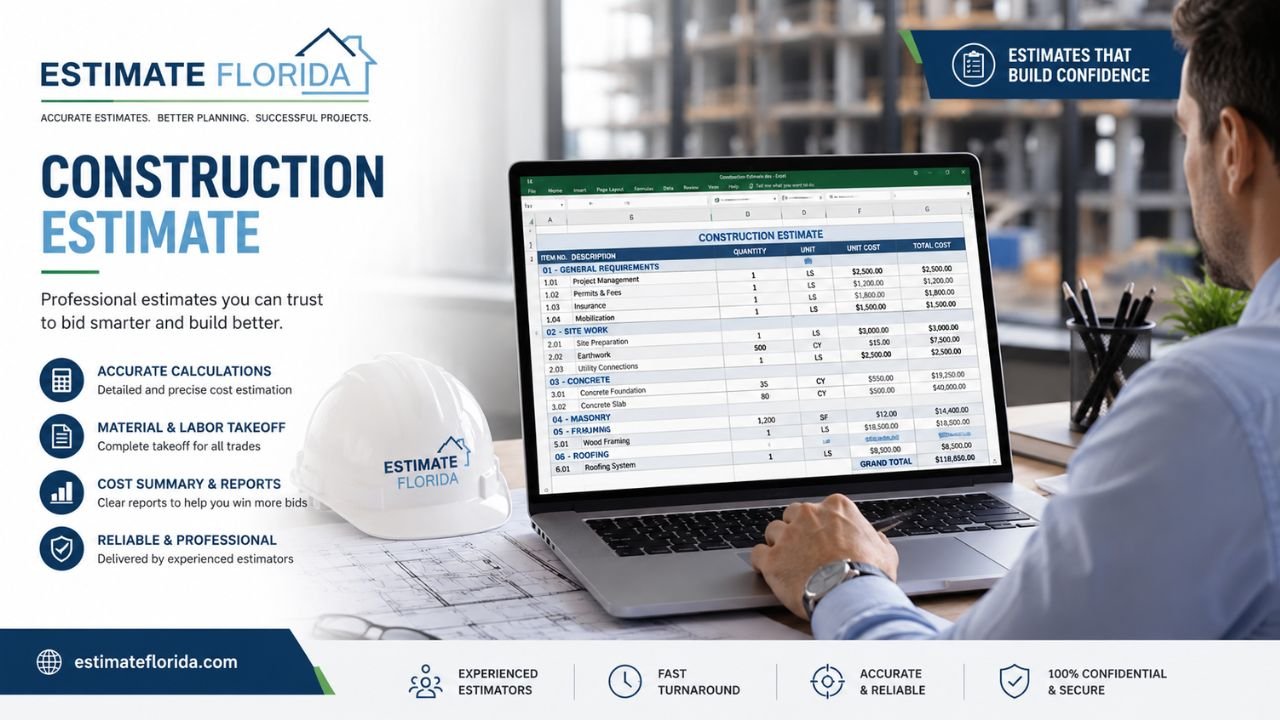
This comprehensive guide will explain exactly what an ideal construction estimate format in Excel looks like, why Florida’s unique building environment demands a specialized layout, what core sections and columns you must include, and how to properly structure formulas to protect your profit margins.
What Is a Construction Estimate Format Excel?
A construction estimate format Excel refers to the specific structural layout and visual organization of a cost-estimating spreadsheet. While the term “template” generally refers to the file itself, the “format” dictates exactly how project information, line items, material quantities, unit costs, and final totals are categorized, ordered, and displayed on the screen and on the printed page.
At its core, a professional estimate format in Excel transforms raw, chaotic project data into a clear, logical, and digestible document. It provides a standardized framework where every expense—from site preparation to final interior finishes—has a designated place. This level of organization is crucial for both the estimator building the bid and the client reviewing it.
An effective Excel construction estimate format Florida is highly versatile. It can be adapted for a wide variety of projects, whether you are generating a high-level conceptual budget for a residential custom home, submitting a hard bid for a multi-story commercial development, or preparing a trade-specific estimate for complex mechanical, electrical, and plumbing (MEP) systems.
By utilizing a consistent cost estimate structure across all your projects, your team will spend less time wrestling with spreadsheet layouts and more time analyzing hard data, negotiating with suppliers, and securing profitable work.
Why Florida Projects Need a Specialized Estimate Format
Estimating a construction project in Florida is fundamentally different from estimating in most other parts of the country. The state’s unique geography, harsh coastal climate, and strict regulatory environment mean that standard national estimate formats often leave dangerous gaps in pricing. A reliable Florida construction estimate format must be tailored to accommodate these specific regional demands.
Consider the following Florida-specific factors that must be seamlessly integrated into your format:
-
Hurricane and Wind-Load Requirements: Since the adoption of the modern Florida Building Code, structures must be built to withstand extreme wind events. Your estimate layout needs dedicated sections for structural enhancements such as high-impact windows, reinforced garage doors, specialized hurricane tie-downs, and enhanced roof deck attachments.
-
Flood Zone Construction and Elevation: Building in coastal communities or low-lying inland areas often triggers strict FEMA flood zone regulations. Your format must easily accommodate line items for raised block foundations, driven pilings, breakaway walls, and advanced flood-proofing measures.
-
Moisture and Corrosion Concerns: High humidity, intense UV exposure, and coastal salt spray rapidly degrade standard building materials. A localized format allows estimators to clearly designate costs for marine-grade stainless steel fasteners, specialized vapor barriers, and anti-corrosive protective coatings.
-
Regional Labor and Material Pricing: The cost of building fluctuates wildly across the state. Procuring concrete and framing labor in the Florida Keys or Miami comes with a completely different price tag than building in Jacksonville or the Panhandle. Your format must be flexible enough to allow for rapid adjustments to regional unit costs.
-
Local Permit and Impact Fees: Florida municipalities are notorious for levying heavy impact fees for infrastructure, schools, and water management. These soft costs must be clearly categorized in your format to prevent them from secretly eating into your profit margin.
To accurately capture all these variables, your spreadsheet should mirror the logical, chronological progression of the build. Understanding what are the 7 stages of construction is incredibly helpful when determining how to group your line items. By aligning your format with the actual physical phases of the project, mastering residential construction estimating becomes a much more streamlined, predictable, and profitable process.
Essential Sections of a Professional Estimate Format
A reliable and professional construction estimate spreadsheet format is systematically divided into distinct, logical sections. This strategic segmentation prevents the final document from looking like an overwhelming, unreadable wall of numbers, which can easily confuse or frustrate a potential client.
Here is a detailed breakdown of how a professional Excel bid estimate format should be structured:
| Section Name | Role in the Estimate | Key Fields & Information Included |
| 1. Header & Project Info | Identifies the project and the parties involved in the contract. | Contractor company info, client name, project address, unique estimate number, date of submission, and estimator name. |
| 2. Scope of Work & Assumptions | Defines the exact boundaries of what the estimate covers. | Brief project description, dates of the architectural plans used for the takeoff, and foundational design assumptions. |
| 3. Estimate Body (Line Items) | The core financial breakdown of all direct project costs. | Itemized list of materials and labor, quantities, unit of measure, unit costs, and extended totals by category. |
| 4. Cost Summary (Bottom Line) | A high-level overview of total expenses for quick review. | Subtotals for materials, labor, equipment, subcontractors; applied overhead, contingency fund, profit margin, tax, and grand total. |
| 5. Notes, Exclusions & Terms | Protects the contractor legally and financially from scope creep. | Specific items not included (e.g., hidden site conditions), validity period of the bid (e.g., 30 days), and basic payment terms. |
Having a crystal-clear summary section is absolutely vital for clients, developers, and lenders who want to see the bottom line before diving into the granular details. If you want to see exactly how these sections integrate into a live, working document, reviewing a sample BOQ for house construction excel complete format with example can provide an excellent blueprint for designing your own highly effective spreadsheets.
Recommended Column Structure for Estimate Lines
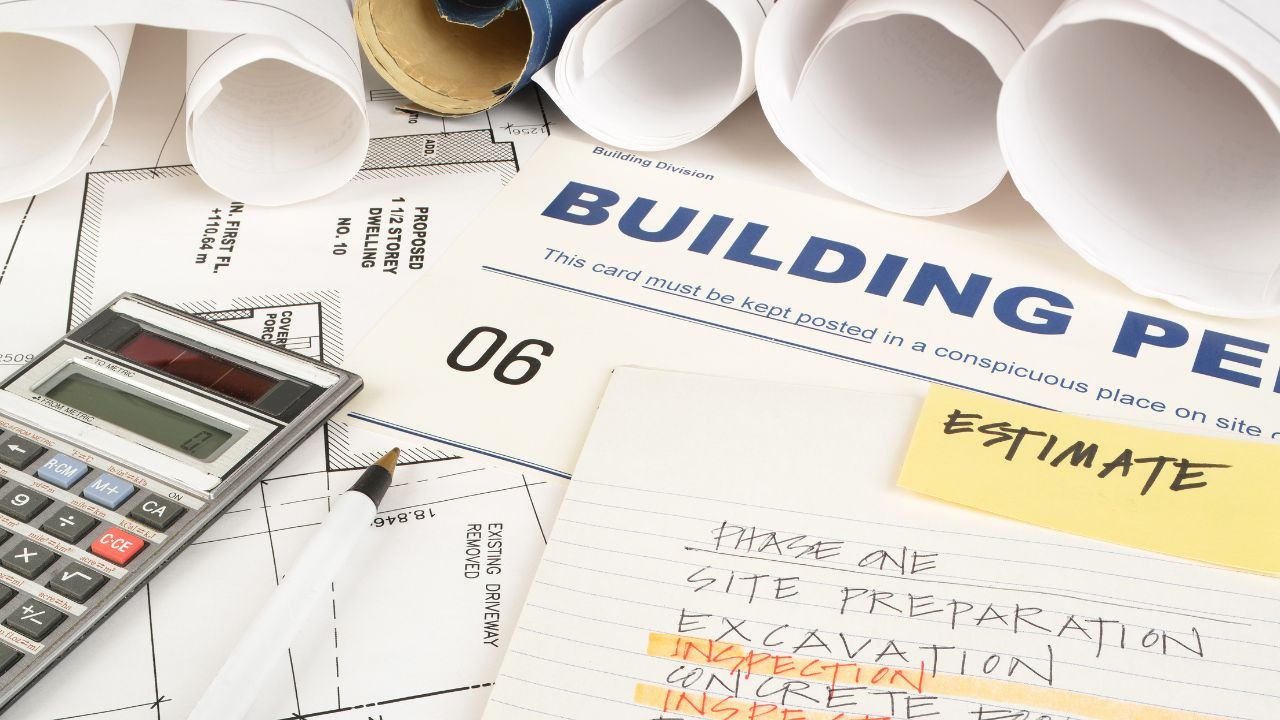
The body of your estimate is where the heavy lifting of your bid takes place. The specific estimate columns you choose to include will dictate how easy the document is to read, edit, audit, and sort. Every individual cost line in your professional estimate format Excel should feature the following core columns to ensure maximum clarity:
-
Item Code or Number (Optional but Recommended): Often based on the widely accepted CSI MasterFormat (e.g., 03-3000 for Cast-in-Place Concrete). This helps in sorting data and standardizing costs across multiple projects.
-
Item Description: A clear, highly specific explanation of the material or labor task. Instead of writing “Wood,” write “2x4x16 Pressure Treated Pine Top Plate.”
-
Quantity: The exact numerical amount derived from your blueprint takeoffs.
-
Unit of Measure (UOM): Absolutely crucial for accurate pricing. Common units include SF (square feet), LF (linear feet), CY (cubic yards), EA (each), and HR (hours).
-
Unit Cost: The price per single unit of measure for either material, labor, or a combined installed price.
-
Total Cost (Extended Price): The calculated final price (Quantity multiplied by Unit Cost).
Depending on your company’s specific workflow, you might also want to include optional columns such as Location/Zone (e.g., separating the Master Bathroom from the Kitchen), Phase of Construction, or Trade Assignee. A consistent, logical column structure allows you to leverage Excel’s powerful filtering and sorting functions effortlessly. This makes it simple to isolate just the framing costs, review all materials required for the second floor, or extract a material list for your purchasing manager.
How to Structure Formulas and Summaries in Excel
The true power of an Excel estimator layout lies in its underlying formulas. When established correctly, Excel performs all the heavy mathematical lifting for you, virtually eliminating human calculation errors.
Start with the fundamental line-item formula in your estimate body:
Total Cost = Quantity * Unit Cost
From there, structure your subtotal formulas to group costs by category. You should have distinct, independent SUM formulas for Total Materials, Total Labor, Total Equipment, and Total Subcontractor costs. These separate buckets will feed directly into your Total Direct Costs cell in the summary section.
Below the direct costs, your format must carefully calculate soft costs and markups. Set up an isolated cell for your Overhead percentage calculation, another for your Contingency fund (which is vital in Florida due to unpredictable weather delays and sudden supply chain shifts), and a separate cell for your anticipated Profit Margin.
Best Practices for Structuring Excel Formulas:
-
Use Named Ranges or Separate Price Sheets: Link your unit cost columns to a separate, hidden “Master Price List” tab within the workbook. This allows you to update the price of a sheet of plywood in one central location, and have it automatically update across all your estimate templates.
-
Avoid Hard-Coded Totals at All Costs: Never manually type a final sum into a total cell. Always rely on formulas so that if a quantity changes during a revision, the grand total updates automatically.
-
Protect Formula Cells: Use Excel’s “Protect Sheet” feature to lock the cells containing complex formulas. This ensures that you, or a junior estimator, do not accidentally overwrite the underlying math when entering a new project’s data.
Structuring your formulas this way is a fundamental pillar of accurate bidding, ensuring that every single variable is properly accounted for before submitting a final number to the client.
Benefits of a Standardized Estimate Format
Moving away from disorganized, ad-hoc spreadsheets and adopting a standardized construction bid format transforms your estimating process from a stressful administrative burden into a distinct competitive advantage.
First and foremost, a standardized layout drastically reduces errors and omissions. When your format includes dedicated, permanent rows for every phase of construction, you are far less likely to forget critical, easily overlooked items like dump fee overages, temporary site toilets, final interior cleaning, or specialized insurance policies.
Second, it speeds up bid preparation. You no longer have to reinvent the wheel every time a new set of architectural plans crosses your desk. You simply open your clean, pre-formatted Excel file, update the header information, and immediately begin entering takeoff quantities.
Furthermore, a consistent format massively improves communication with project owners, architects, and subcontractors. It makes apples-to-apples comparisons and value-engineering revisions incredibly easy. If a prospective client asks for a general pricing baseline, having an archive of historical, well-formatted data allows you to quickly and confidently answer complex questions like how much does it cost to build a house in Florida or, for commercial investors, how much does it cost to build a warehouse in Florida.
Reliable, repeatable formats help Florida contractors avoid “messy spreadsheet syndrome,” effectively turning past estimates into an invaluable, proprietary database of historical costs that can guide future business decisions.
Common Mistakes in Estimate Formats
Even highly experienced builders and contractors can lose significant amounts of money if their construction cost estimate format is sloppy or poorly designed. To protect your margins, avoid these common formatting pitfalls:
-
Missing Key Header Fields: Forgetting to include the date or a unique estimate number makes version control impossible when a client requests multiple rounds of revisions.
-
Unclear or Inconsistent Item Descriptions: Writing generic terms like “wire” instead of “250ft Roll 12/2 Romex Copper Wire” leads to purchasing errors, material shortages, and budget blowouts.
-
Mixing Units of Measure Without Labeling: Entering a quantity like “50” without specifying if it means Square Feet, Cubic Yards, or Linear Feet will completely destroy the accuracy of your final total.
-
Hard-Coding Totals Instead of Using Formulas: If you type a static number into a total cell, it will not dynamically update when the architect removes a window from the scope of work.
-
No Clear Separation Between Base Bid and Alternates: Client upgrade options (like choosing a standing seam metal roof over standard architectural shingles) must be formatted separately. If they are blended in, they will artificially inflate the base bid price and potentially cost you the job.
-
Forgetting Exclusions and Assumptions: Omitting a clear, detailed notes section leaves you totally vulnerable to doing free work when the project scope inevitably creeps beyond the original plans.
A rigid, well-designed estimate layout naturally prevents these errors by forcing the estimator to fill in the blanks properly and methodically.
Florida Code, Flood, and Regional Cost Considerations
To be truly effective, your estimate format must gracefully handle the strict realities of building in Florida. The state operates under some of the most rigorous building codes in the world, and your spreadsheet’s line items and final notes section must reflect this commitment to compliance.
For instance, your format must actively account for the hurricane-resistant construction materials mandated by the Florida Building Code. If you are estimating a project in a coastal High-Velocity Hurricane Zone (HVHZ), your estimate body needs clear, distinct callouts for impact-resistant glazing, secondary water barriers on the roof deck, and specific structural tie-down hardware.
If the project sits in a designated flood zone, you will need to reference FEMA Flood Maps to determine the exact Base Flood Elevation (BFE) requirements. Your foundation and concrete sections must be uniquely formatted to handle the vastly increased costs of driving concrete pilings or importing massive amounts of fill dirt. Furthermore, high ambient moisture and coastal salt spray dictate the need for corrosion protection, which should be explicitly noted and priced in your material descriptions.
Pricing also varies wildly depending on your exact location in the state. Sourcing skilled labor and heavy materials in South Florida or the island chain of the Keys requires a completely different cost baseline than building in the central Panhandle. Always cross-reference your unit costs with reliable industry data sources like RSMeans and verify your subcontractors’ licensing status through the Florida Department of Business and Professional Regulation.
Ensuring your bid is strictly code-compliant and built on highly accurate regional data makes it much easier to build trust with property owners when they are researching how to choose a contractor to build a house in Florida.
How to Build or Adapt Your Own Estimate Format
Creating the perfect construction estimate format Excel does not require an advanced background in computer programming or data science. Construction professionals have several straightforward, highly effective options to build a layout that fits their specific business model.
You can start by downloading a basic, reputable template online and manually customizing the columns, headers, and summary sections to match your specific workflow. Alternatively, you can adapt an existing Bill of Quantities or cost breakdown sheet from a previous, highly successful project. The most robust and professional formats often utilize separate interconnected tabs within the same Excel workbook: one tab designed for a high-level executive summary, one tab for the hyper-detailed line-item estimate, and a hidden tab housing your master price list.
Having a dialed-in administrative setup is critical for anyone looking to scale a construction business. If you are actively expanding your operations, establishing these reliable estimating formats early on is vital to your survival. Resources detailing how to become a builder in Florida, how to become a contractor in Florida, and how to become a general contractor in Florida consistently highlight the importance of backend organization and financial tracking. Furthermore, understanding exactly how to get a building permit in Florida ensures you build the proper permit expediting fees, municipal impact costs, and timeline delays directly into your standard bidding format.
Final Thoughts
A solid, professional construction estimate format Excel is far more than just a digital piece of paper—it is a critical strategic tool that actively drives the financial health, reputation, and growth of your Florida construction business. By establishing a clear, standardized layout, you eliminate client confusion, drastically reduce the risk of catastrophic mathematical errors, and maintain iron-clad control over your project budgets from groundbreaking to final inspection.
Investing the time and effort upfront to build a clean, consistent, and highly detailed format ensures that every future estimate you produce is generated faster, reads clearer, and presents your company in the most professional light possible. In a market as complex, regulated, and fiercely competitive as Florida, an accurate and easily understood estimate format is very often the deciding factor that wins the job and secures your profit margin.