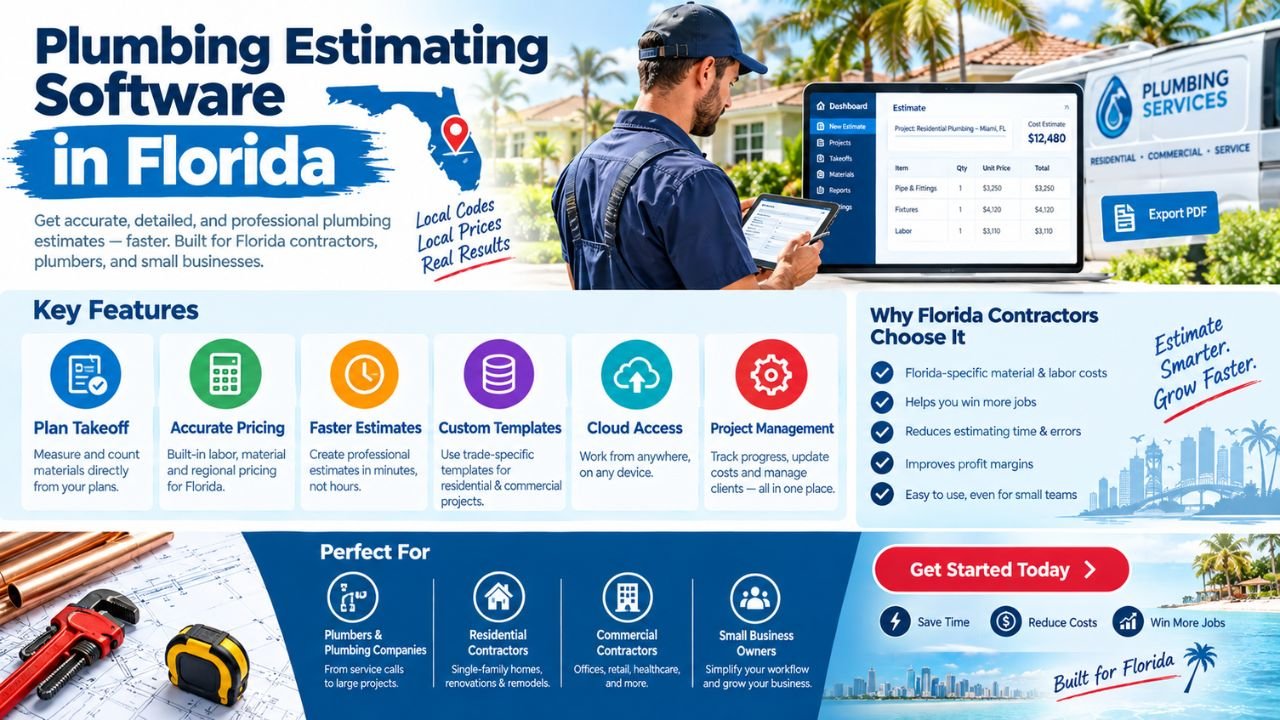
Plumbing estimating software in Florida helps contractors measure quantities, count fixtures, organize plumbing systems, apply labor and material pricing, and prepare professional bids. Instead of estimating from disconnected spreadsheets, marked-up drawings, handwritten notes, and separate price lists, contractors can use a structured digital workflow for plumbing takeoffs, cost calculations, bid summaries, and revisions.
Florida projects may include single-family homes, multifamily buildings, commercial facilities, warehouses, renovations, pools, hospitality projects, and storm-related repairs. Each project can involve different plan quality, labor conditions, material requirements, site constraints, and construction details.
The right Florida plumbing estimating software is not automatically the most expensive or most automated option. The best fit depends on project size, estimating volume, team experience, budget, drawing quality, required integrations, and the company’s preferred workflow.
Estimate Florida can help you develop customized plumbing estimating software for your business. To discuss your requirements, email us at info@estimateflorida.com.
What Is Plumbing Estimating Software?
Plumbing estimating software is a digital tool that helps contractors convert plans, specifications, and project information into quantities, costs, and bid documents.
Depending on the system, it may help quantify:
-
Pipe runs by size and system.
-
Fittings and connectors.
-
Valves and specialties.
-
Plumbing fixtures.
-
Water heaters and equipment.
-
Pumps and tanks.
-
Labor assemblies.
-
Supports and hangers.
-
Insulation.
-
Sleeves and penetrations.
-
Excavation and underground plumbing.
-
Testing and commissioning allowances.
-
Restoration or patching related to plumbing work.
The software can then apply:
-
Material prices.
-
Labor rates.
-
Productivity factors.
-
Waste allowances.
-
Equipment charges.
-
Subcontractor costs.
-
Overhead.
-
Markup.
-
Contingency.
The result may be a plumbing estimate, material takeoff, bid summary, schedule of values, purchasing list, or export for further review in Excel or PDF.
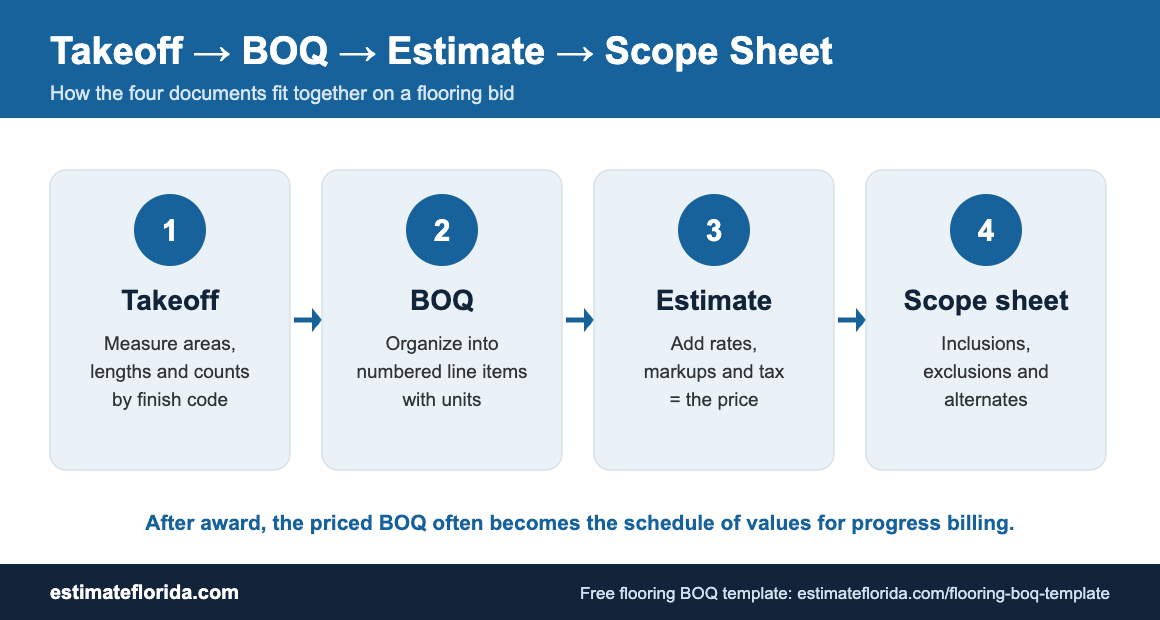
A plumbing takeoff is the quantity side of the estimate. It identifies what is shown or reasonably required by the plans. The estimate adds pricing, labor, project assumptions, and commercial terms.
Software supports the estimating process, but it does not replace qualified human review. The final scope, pricing, compliance assessment, and bid decision should be checked by an appropriately experienced estimator or responsible professional.
Why Florida Contractors Need Specialized Plumbing Estimating Tools
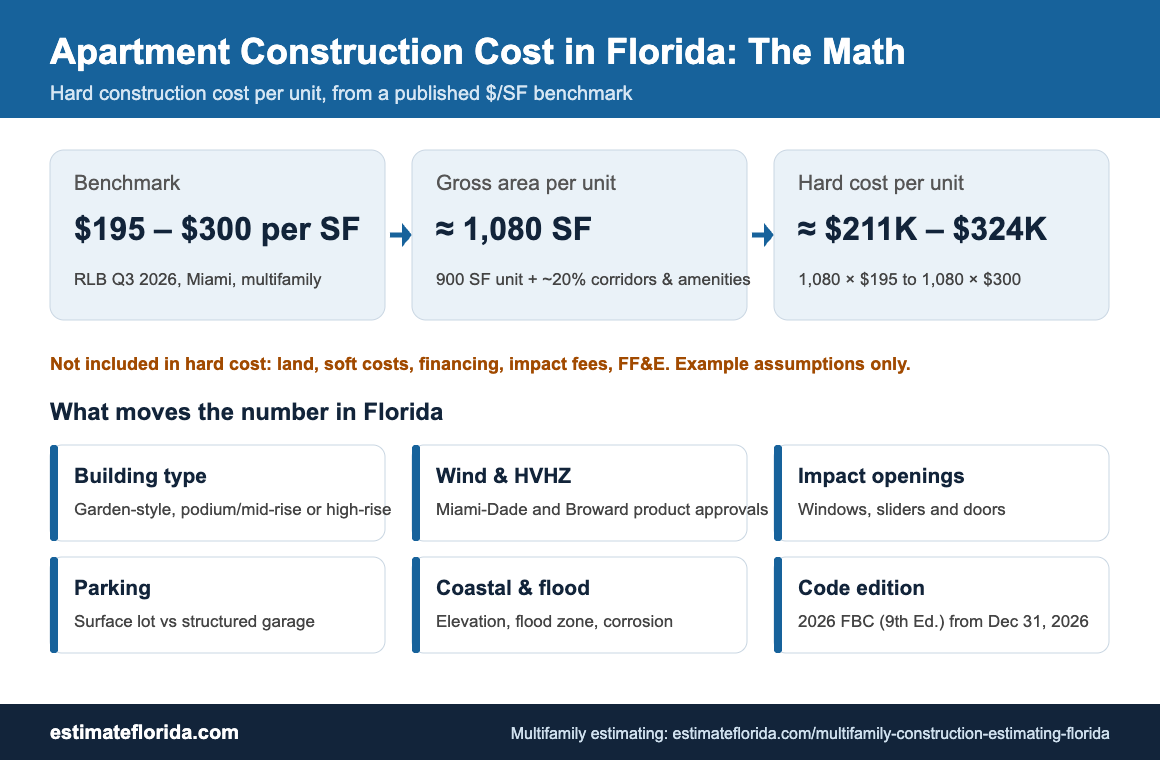
Florida plumbing work has several conditions that can affect a takeoff and bid. A basic quantity tool may be useful, but contractors often need systems that can organize project-specific risks and regional assumptions.
Florida-specific estimating considerations
A Florida plumbing estimate may need to account for:
-
Hurricane-resistant construction details.
-
Flood zones and elevated equipment.
-
Storm drainage and site drainage.
-
Coastal salt-air corrosion.
-
High humidity and moisture exposure.
-
Regional labor and material pricing.
-
Local utility connections.
-
Difficult site access.
-
Multifamily and high-rise plumbing complexity.
-
Renovation work in older buildings.
-
Plan review comments and scope changes.
-
Emergency or storm-related repairs.
Flood conditions can affect equipment locations, underground work, elevations, access, and drainage scope. FEMA identifies its Flood Map Service Center as the official source for flood hazard mapping products, so estimators can review the FEMA Flood Maps when flood-related conditions are relevant to a project.fema+1
The Florida Building Code is another important reference point for project teams reviewing construction requirements and code-related scope. Plumbing estimating software can provide fields for notes, code references, plan comments, and review status, but software does not replace code review or engineering judgment.
Contractors can also consult the Florida Department of Business and Professional Regulation for relevant professional and business information. A software system can organize documents and workflows, but it does not determine licensing requirements or provide legal advice.
Core Features of Plumbing Estimating Software
The right features depend on whether the contractor estimates small residential jobs, large commercial buildings, production homes, multifamily projects, or renovations.
A good system should make it easy to trace a final amount back to the underlying quantity, unit cost, labor assumption, or project note.
Plumbing Systems the Software Should Estimate
A complete plumbing construction estimating software system should organize quantities by plumbing system rather than placing every item in one undifferentiated list.
Common systems include:
Domestic cold water
This may include service entrances, underground water lines, risers, branches, shutoff valves, backflow devices, meters, and connections to fixtures.
Domestic hot water
The estimate may include water heaters, storage tanks, recirculation piping, pumps, controls, insulation, valves, and equipment connections.
Sanitary waste and vent
This system may include sanitary branches, stacks, vents, cleanouts, floor drains, traps, connections, and underground building drains.
Storm drainage
Storm work can include roof drains, leaders, area drains, catch basins, underground storm piping, overflow systems, and connections to site drainage.
Gas piping
Where included in the project scope, the estimate may cover fuel-gas piping, regulators, shutoff valves, supports, appliance connections, and testing allowances.
Fire protection interfaces
Plumbing estimators may need to identify coordination points with fire-protection systems, even when fire-sprinkler work is separately estimated.
Equipment and specialties
Other items may include:
-
Pumps.
-
Tanks.
-
Backflow preventers.
-
Water treatment equipment.
-
Grease interceptors.
-
Sump systems.
-
Sewage ejectors.
-
Water heaters.
-
Mixing valves.
-
Pressure-reducing valves.
Fixtures and accessories
A fixture count may include:
-
Water closets.
-
Urinals.
-
Lavatories.
-
Sinks.
-
Showers and tubs.
-
Mop basins.
-
Service sinks.
-
Floor drains.
-
Hose bibs.
-
Drinking fountains.
-
Emergency fixtures.
-
Roof drains.
Installation accessories
The estimate should not overlook:
-
Sleeves.
-
Supports.
-
Hangers.
-
Insulation.
-
Pipe identification.
-
Firestopping interfaces.
-
Equipment pads or supports.
-
Excavation and backfill.
-
Testing and flushing.
-
Patching and restoration.
System-based organization makes it easier to compare design changes, assign labor assemblies, prepare alternates, and identify missing scope.
Plumbing Takeoff from PDF and CAD Drawings
A typical plumbing takeoff workflow may follow these steps:
-
Upload or import the drawings.
-
Confirm the scale on each relevant sheet.
-
Identify plumbing plan sheets, riser diagrams, details, schedules, and specifications.
-
Review the legend and abbreviations.
-
Count fixtures and equipment.
-
Measure pipe runs by system and size.
-
Add fittings, valves, supports, sleeves, and accessories.
-
Review riser diagrams and enlarged details.
-
Apply labor assemblies and material prices.
-
Export the takeoff and estimate.
-
Review quantities against the drawings and specifications.
-
Document assumptions, exclusions, and unresolved questions.
Why drawing review matters
A plumbing plan may not show every item in the same view. A fixture may appear on a floor plan, while its connection details appear on a riser diagram or enlarged plan. Specifications may also require products, installation methods, insulation, testing, or accessories not obvious from the plan symbols.
Drawings may contain:
-
Incomplete dimensions.
-
Conflicting information.
-
Poor-quality scans.
-
Overlapping lines.
-
Missing details.
-
Incorrect or unclear scale.
-
Different information on architectural and plumbing sheets.
-
Revisions that are not clearly clouded.
For that reason, plumbing takeoff software should support notes, marked-up drawings, assumptions, and review status. A human estimator still needs to interpret the documents.
AI-Assisted Plumbing Estimating
AI-assisted takeoff tools can support certain repetitive estimating tasks. Possible features include:
-
Faster fixture counting.
-
Recognition of common plan symbols.
-
Automated pipe measurement.
-
Drawing organization.
-
Search across multiple plan sheets.
-
Detection of repeated fixtures.
-
Draft material lists.
-
Automated report formatting.
-
Identification of possible duplicated or missing elements.
-
Comparison of selected plan revisions.
These features may be useful when drawings are consistent and the system has been configured properly. However, AI-assisted estimating is not automatically accurate in every project.
Limitations may include:
-
Poor-quality scans.
-
Unclear symbols.
-
Missing details.
-
Incorrect scale.
-
Overlapping lines.
-
Unusual fixtures.
-
Complex riser diagrams.
-
Design revisions.
-
Specifications that override plan assumptions.
-
Differences between architectural and plumbing drawings.
-
Hidden or site-related scope.
AI output should be reviewed and approved by a qualified estimator before pricing or bidding. A practical approach is to use AI to create a draft takeoff, then compare the results against the plans, specifications, schedules, and project instructions.
Plumbing Estimating Software for Different Project Types
Different projects require different estimating workflows.
A system that works well for a small house may not provide enough organization for a hospital, hotel, or multifamily tower. Estimators should match the tool to the project types they bid most often.
How Software Improves Plumbing Bids
Plumbing bid software Florida contractors use should support a repeatable process rather than simply produce a final number.
Potential benefits include:
-
Standardizing takeoffs.
-
Reducing missed fixtures.
-
Separating plumbing systems.
-
Applying consistent labor assemblies.
-
Tracking material costs.
-
Comparing design options.
-
Preparing alternates.
-
Handling addenda.
-
Updating estimates after revisions.
-
Exporting professional bid summaries.
-
Improving communication with general contractors and owners.
-
Preserving assumptions and exclusions.
-
Comparing estimated and actual project costs.
Software does not guarantee that a contractor will win more bids or eliminate errors. Its value depends on how well the company configures the system, maintains pricing, reviews drawings, and trains users.
A well-organized estimate can make the bid easier to review. For example, a general contractor may want separate amounts for domestic water, sanitary drainage, storm drainage, gas piping, fixtures, equipment, and underground work. A system-based estimate can provide that structure.
Plumbing Estimating Software vs Excel
Excel remains a useful estimating tool. It can support custom calculations, price lists, client-specific formats, summaries, and management reporting. Dedicated software may be more suitable for large or repetitive plan-based takeoffs.
Many contractors use both. A dedicated system may handle the takeoff and core estimate, while Excel supports custom summaries, management analysis, or a general contractor’s required bid format.
How Estimate Florida Can Develop Customized Plumbing Estimating Software
Estimate Florida can help companies develop a plumbing estimating system around their actual workflow instead of forcing every project into a generic template.
A practical custom development process may include:
-
Requirements discovery. Document the company’s project types, estimating process, users, pricing methods, and reporting needs.
-
Current-method review. Examine spreadsheets, marked-up plans, price lists, assemblies, proposal templates, and bid files.
-
System identification. Define how domestic water, sanitary drainage, storm drainage, gas, fixtures, equipment, and underground work will be organized.
-
User-role planning. Identify what estimators, project managers, owners, administrators, and reviewers can access.
-
Input-method selection. Decide whether the system will use PDF drawings, CAD files, manual entry, spreadsheet imports, or a combination.
-
Takeoff-screen design. Plan measurement tools, fixture counters, system selectors, notes, and marked-up plan views.
-
Pricing-library development. Create company-specific material prices, labor assemblies, productivity factors, waste allowances, and markup rules.
-
Estimate-summary creation. Develop bid summaries, material lists, labor reports, alternates, exclusions, and proposal exports.
-
Testing with real-world sample projects. Use representative residential, commercial, multifamily, or renovation examples.
-
Training. Help users understand the workflow and establish consistent estimating practices.
-
Launch and improvement. Introduce the system in stages and refine it based on real estimator feedback.
Possible custom features include:
-
Company-specific assemblies.
-
Florida regional pricing.
-
Residential and commercial templates.
-
Multistory building support.
-
Fixture libraries.
-
Plumbing riser workflows.
-
Excel exports.
-
PDF bid reports.
-
Customer or general-contractor portals.
-
Accounting integrations.
-
Mobile review.
-
Revision tracking.
-
Change-order workflows.
-
Project-level assumptions and exclusions.
Estimate Florida can help you develop customized plumbing estimating software for your business. To discuss your requirements, email us at info@estimateflorida.com.
Important Data and Pricing Inputs
Software is only as useful as the data and assumptions behind it. A well-designed system can still produce a weak estimate if the pricing library or labor assumptions are outdated.
Important inputs include:
-
Current material prices.
-
Labor rates.
-
Labor productivity.
-
Pipe and fitting specifications.
-
Fixture selections.
-
Equipment costs.
-
Supplier quotes.
-
Regional conditions.
-
Waste factors.
-
Subcontractor pricing.
-
Freight and delivery.
-
Permit-related scope.
-
Project schedule.
-
Site access.
-
Escalation assumptions.
-
Installation constraints.
Material prices may change between the initial estimate and procurement. Contractors should decide how often price databases are reviewed and how supplier quotations are stored.
Labor assemblies should also reflect the company’s experience. A standard installation rate may not apply to an occupied renovation, a high-rise riser, a congested mechanical room, or a difficult underground site.
A good estimating system should make assumptions visible instead of hiding them inside formulas.
Security, Data Ownership, and Integrations
Before selecting or developing plumbing software for Florida contractors, ask how project data will be handled.
Important questions include:
-
Who owns the estimate data?
-
Can the company export its data?
-
Are user roles available?
-
Is there an audit history?
-
Are files backed up?
-
Can the system integrate with accounting software?
-
Can it export to Excel and PDF?
-
Can it connect with CRM or project-management tools?
-
Is two-factor authentication available?
-
How are former employees removed from the system?
-
Can project files be archived?
-
How are pricing-library changes tracked?
Security features vary by system. Contractors should review technical documentation and obtain professional advice when the business has specific information-security requirements.
Useful integrations may include:
-
Accounting systems.
-
Project-management tools.
-
Customer relationship management.
-
Document storage.
-
Supplier price lists.
-
Time tracking.
-
Purchasing systems.
-
Proposal platforms.
-
Email and notification services.
Integrations should solve a real problem. Adding unnecessary connections can make implementation more difficult.
Cost of Plumbing Estimating Software
The cost of plumbing cost estimating software depends on the pricing model and required functionality.
Common models include:
-
Free or limited tools.
-
Monthly subscriptions.
-
Per-user pricing.
-
Project-based pricing.
-
Enterprise licensing.
-
Custom software development.
-
Setup and configuration.
-
Data migration.
-
Training.
-
Support and maintenance.
-
Integrations and upgrades.
A simple tool for one estimator may have a very different cost from a custom platform with PDF takeoff, multiple users, regional pricing, revision tracking, accounting integration, and customer access.
Custom software pricing should not be estimated responsibly without reviewing the requirements. Factors may include:
-
Number of users.
-
Number of modules.
-
Plan-import and measurement needs.
-
Mobile requirements.
-
Pricing-library complexity.
-
Reporting requirements.
-
Integration requirements.
-
Hosting and data-management choices.
-
Prototype and testing needs.
-
Ongoing support expectations.
A phased approach may be practical. The first release could focus on PDF plan review, fixture counts, pipe measurements, assemblies, estimates, and Excel/PDF exports. Later phases could add AI-assisted takeoff, advanced integrations, customer portals, and field review.
How to Choose the Right Software
Use this checklist when evaluating a plumbing estimating platform:
-
Define your main estimating problems.
-
Identify the project types you estimate most often.
-
Confirm the required plumbing systems.
-
Test PDF measurement and scaling.
-
Review fixture-counting tools.
-
Check pipe-size and material categorization.
-
Test Excel and PDF exports.
-
Review revision and addendum handling.
-
Examine pricing-database flexibility.
-
Confirm mobile or cloud access if needed.
-
Evaluate user permissions.
-
Review data export and backup options.
-
Compare total cost of ownership.
-
Involve estimators and field staff before selecting a system.
-
Test the system using a real or representative project.
Ask the vendor or development team to demonstrate a complete workflow rather than showing isolated features. The demonstration should begin with a drawing and end with a reviewed plumbing bid.
Common Mistakes to Avoid
Avoid these common estimating mistakes:
-
Choosing software based only on price.
-
Assuming automation eliminates review.
-
Using outdated material rates.
-
Ignoring labor productivity.
-
Failing to configure assemblies.
-
Not checking plan scale.
-
Overlooking riser diagrams.
-
Missing underground plumbing.
-
Failing to include supports, sleeves, and accessories.
-
Not testing exports.
-
Ignoring user adoption.
-
Treating a draft estimate as a final bid without review.
-
Forgetting addenda and drawing revisions.
-
Pricing pipe without fittings and valves.
-
Ignoring specifications and schedules.
-
Applying residential assemblies to commercial conditions without review.
-
Failing to document exclusions and assumptions.
-
Assuming the software understands unclear drawings automatically.
The most reliable workflow combines software organization with estimator experience, plan review, supplier input, and documented assumptions.
Final Thoughts
Plumbing estimating software in Florida can help contractors organize plumbing takeoffs, quantify systems, apply labor and material pricing, track revisions, and prepare professional bids. It can support residential, commercial, multifamily, renovation, industrial, hospitality, pool, and site-plumbing work.
The best solution depends on project type, estimating volume, team size, budget, drawing quality, estimator experience, and workflow requirements. Excel may be sufficient for smaller or highly customized calculations, while dedicated plumbing takeoff software may be more useful for large or repetitive plan-based work. AI-assisted features can support repetitive tasks, but they still require qualified human review.
Software should support—not replace—estimating judgment and final review. Pricing data, assemblies, labor assumptions, specifications, drawings, and project conditions all affect the quality of the final estimate.
If you need plumbing estimating software designed around your business, email Estimate Florida at info@estimateflorida.com to discuss your requirements.