Residential plumbing estimating software in Florida helps contractors count fixtures, measure pipe runs, apply labor and material pricing, prepare bids, and organize takeoff information for home projects. Instead of relying only on handwritten notes, disconnected spreadsheets, and repeated manual calculations, a structured estimating system can bring residential plumbing quantities, assemblies, pricing, revisions, and proposals into one workflow.
Florida residential plumbing work includes new single-family homes, bathroom and kitchen remodels, additions, whole-house repiping, water heater replacements, sewer and drain repairs, pools, outdoor kitchens, multifamily housing, emergency service, and maintenance work.
The best software depends on the project type, company size, estimator experience, budget, drawing quality, workflow, and required integrations. A simple Excel-based process may be suitable for a small contractor, while a company estimating many homes or repeated residential developments may need dedicated takeoff and bid tools.
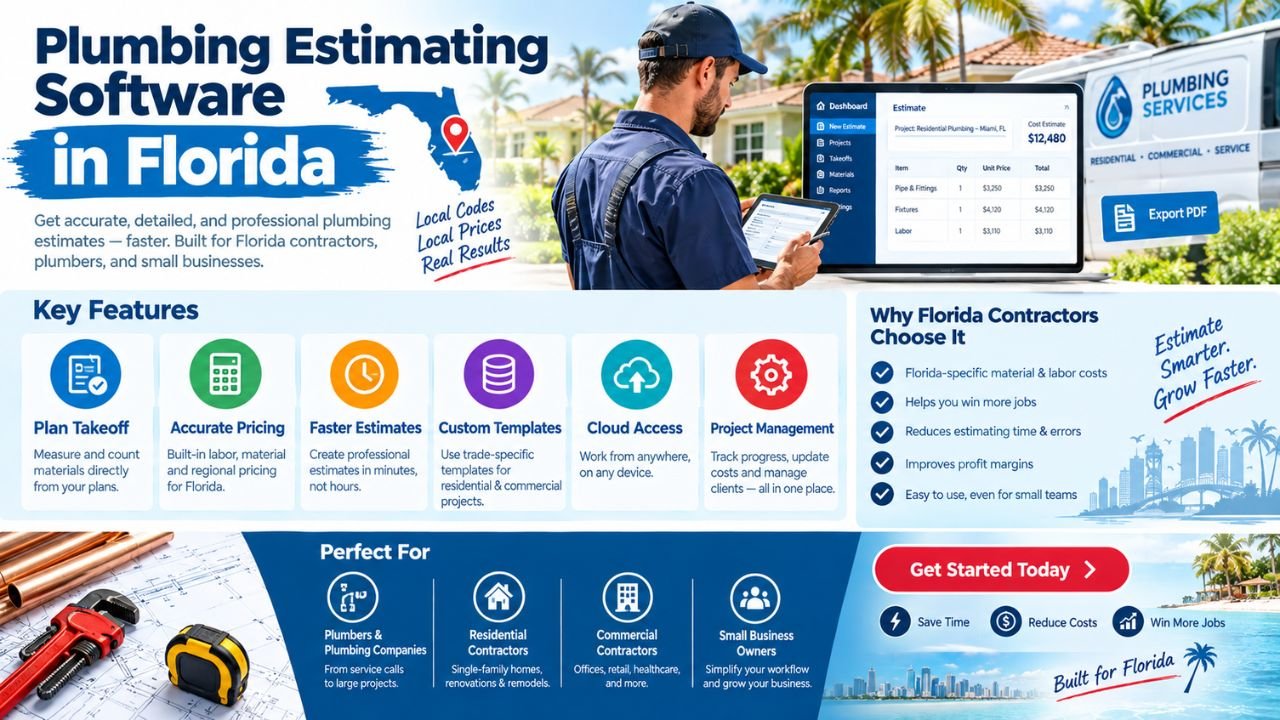
Florida conditions can also affect estimates. Humidity, flood zones, coastal exposure, hurricane-related construction details, slab-on-grade layouts, regional material prices, and access conditions may change the required scope.
Estimate Florida can help you develop customized residential plumbing estimating software for your business. To discuss your requirements, email us at info@estimateflorida.com.
What Is Residential Plumbing Estimating Software?
Residential plumbing estimating software is a digital system that helps contractors turn drawings, specifications, site information, and field observations into quantities, costs, and proposals.
A residential plumbing estimate may include:
-
Domestic cold-water supply.
-
Domestic hot-water piping.
-
Sanitary drain and vent piping.
-
Stormwater piping.
-
Gas piping, where included.
-
Fixtures and trim.
-
Water heaters.
-
Recirculation pumps.
-
Pressure tanks and booster systems.
-
Valves and fittings.
-
Supports, sleeves, and insulation.
-
Excavation and underground service lines.
-
Demolition and restoration.
-
Testing and startup allowances.
The software may convert quantities into:
-
Material lists.
-
Labor estimates.
-
Cost summaries.
-
Customer proposals.
-
Plumbing bid forms.
-
Excel exports.
-
PDF reports.
-
Schedules of values.
-
Purchase-planning lists.
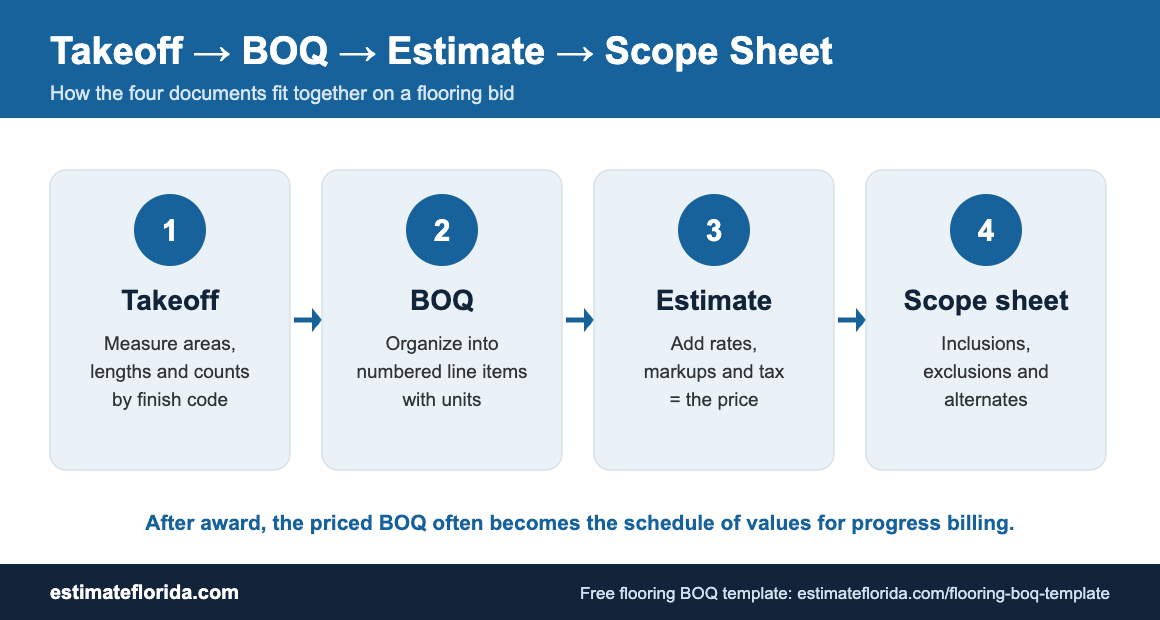
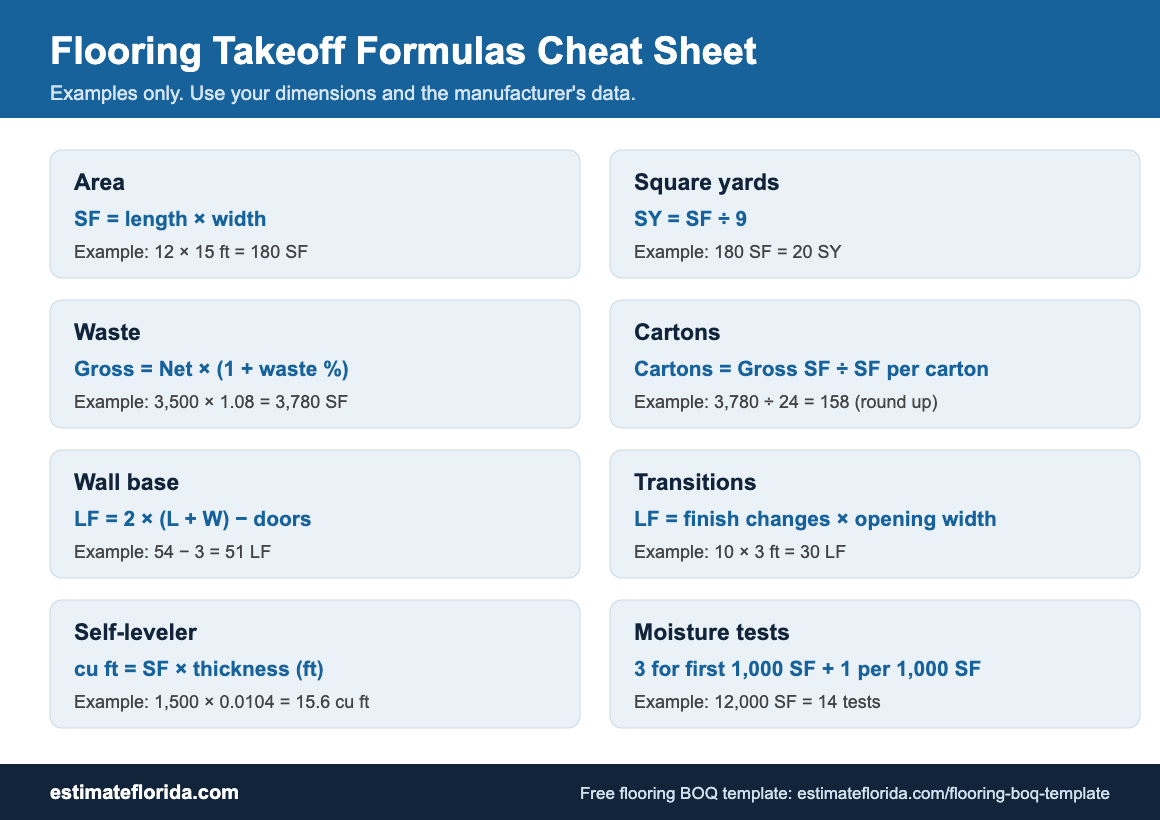
The quantity portion is commonly called a plumbing takeoff. It identifies pipe lengths, fixture counts, equipment, fittings, valves, and accessories. The estimating portion applies unit prices, labor assemblies, waste factors, overhead, markup, allowances, and project assumptions.
Software supports the estimator, but it does not replace a qualified estimator, plumber, engineer, contractor, inspector, or code official. Final scope, pricing, compliance decisions, and bids require qualified human oversight.
Why Florida Residential Contractors Need Specialized Estimating Tools
Residential projects in Florida can look simple on a floor plan but become more complex when site conditions, existing piping, elevation, access, and local project requirements are considered.
Florida-specific estimating considerations may include:
-
Hurricane and wind-related construction details.
-
Flood zones and elevated equipment.
-
Heavy rain and stormwater management.
-
Coastal salt-air corrosion.
-
High humidity and moisture exposure.
-
Regional labor and material pricing.
-
Older homes requiring repiping or repair.
-
Slab-on-grade construction.
-
Outdoor kitchens and pool plumbing.
-
Irrigation interfaces.
-
Lanai and exterior hose connections.
-
Local permit and inspection-related scope.
-
Limited access during occupied-home renovations.
Flood and elevation conditions
Flood-related conditions may affect underground plumbing, equipment placement, backflow devices, sewer connections, drainage, and elevation transitions. Estimators can review the official FEMA Flood Maps when flood exposure is relevant to a property or project. FEMA’s Flood Map Service Center provides official flood hazard mapping information.fema+1
Code and professional review
The Florida Building Code can be a useful reference for construction teams reviewing project requirements. However, estimating software should not be treated as a code-compliance system. It can organize plan notes, assumptions, and review items, but code interpretation and final project decisions require responsible professional review.
Contractors can also use the Florida Department of Business and Professional Regulation for relevant professional and business information. Software can help organize records, but it does not provide licensing, legal, or regulatory advice.
Core Features of Residential Plumbing Estimating Software
The right feature set depends on whether the company estimates new homes, remodeling, service work, multifamily developments, or several categories.
A good residential plumbing estimating tool should make it easy to trace a final amount back to a fixture, pipe quantity, assembly, unit price, labor assumption, or project note.
Residential Plumbing Systems the Software Should Estimate
A complete system should organize estimates by plumbing system.
Domestic cold-water supply
This may include the service line, meter connection, main distribution, branches, risers, shutoff valves, backflow devices, hose bibs, and fixture connections.
Domestic hot-water supply and return
The estimate may include water heaters, hot-water branches, recirculation piping, pumps, mixing valves, insulation, valves, and equipment connections.
Sanitary waste and vent
This system can include:
-
Building drains.
-
Branch drains.
-
Soil and waste stacks.
-
Vent piping.
-
Traps.
-
Cleanouts.
-
Floor drains.
-
Underground sanitary piping.
-
Sewer connections.
Storm drainage
Where included, residential storm scope may cover roof drains, leaders, area drains, surface drainage, underground storm piping, and connections to site systems.
Natural gas or fuel gas
If gas work is part of the project, the estimate may include gas piping, regulators, shutoffs, appliance connections, supports, testing, and sleeves.
Fixtures and trim
Residential fixture counts may include:
-
Toilets.
-
Lavatories.
-
Sinks.
-
Tubs.
-
Showers.
-
Faucets.
-
Kitchen fixtures.
-
Laundry connections.
-
Hose bibs.
-
Bidets.
-
Utility sinks.
-
Floor drains.
-
Water filtration connections.
Equipment and accessories
A residential estimate may also include:
-
Water heaters.
-
Recirculation pumps.
-
Pressure tanks.
-
Booster pumps.
-
Backflow prevention.
-
Expansion tanks.
-
Water treatment.
-
Sump systems.
-
Sewage ejectors.
-
Outdoor kitchen fixtures.
-
Pool-related plumbing, where included.
Separating systems improves pricing, review, alternates, purchasing, and customer communication.
New Home Plumbing Estimating
New residential construction requires coordination between architectural plans, plumbing drawings, specifications, fixture schedules, structural details, and site information.
Software can organize:
-
Fixture schedules.
-
Rough-in quantities.
-
Pipe sizes and materials.
-
Underground plumbing.
-
Slab penetrations.
-
Main water services.
-
Sewer connections.
-
Water heaters.
-
Gas appliance connections.
-
Final trim and fixture installation.
-
Testing and inspection allowances.
-
Material and fixture allowances.
-
Exclusions and assumptions.
Rough-in and finish separation
Many contractors separate residential plumbing into rough-in and finish stages.
The rough-in may include:
-
Underground drains.
-
Water distribution.
-
Vent piping.
-
Gas piping.
-
Sleeves.
-
Stub-outs.
-
Slab penetrations.
-
Pressure testing.
The finish stage may include:
-
Toilets.
-
Faucets.
-
Sinks.
-
Shower trim.
-
Tub valves.
-
Water heaters.
-
Appliances.
-
Final connections.
-
Trim-out labor.
This separation helps builders and general contractors understand progress billing and project costs.
Plans are not the only source
The estimator should review plans, specifications, schedules, fixture selections, and site information together. A floor plan may not show all riser details, equipment requirements, or underground conditions.
Bathroom, Kitchen, and Remodeling Estimates
Residential remodeling estimates differ from new construction because existing conditions are often uncertain.
Software can help price:
-
Bathroom renovations.
-
Kitchen remodels.
-
Laundry-room changes.
-
Home additions.
-
Guest suites.
-
Accessory dwelling units.
-
Fixture replacements.
-
Whole-house repiping.
-
Drain and sewer repairs.
-
Water heater replacement.
-
Whole-home plumbing upgrades.
-
Pool and outdoor plumbing.
-
Emergency repairs.
Bathroom remodel estimate
A bathroom remodel estimate may include:
-
Demolition and removal.
-
Existing fixture disconnects.
-
New supply and drain changes.
-
Shower valve and trim.
-
Tub or shower installation.
-
Toilet replacement.
-
Lavatory and faucet.
-
Vent adjustments.
-
Access openings.
-
Wall or floor patching.
-
Testing and cleanup.
Kitchen remodel estimate
A kitchen estimate may include:
-
Sink and faucet.
-
Dishwasher connection.
-
Ice-maker line.
-
Garbage disposal.
-
Hot and cold branches.
-
Drain relocation.
-
Gas appliance connection.
-
Cabinet coordination.
-
Wall access and restoration.
Repiping estimate
A whole-house repiping estimate may require:
-
Existing pipe material identification.
-
Access points.
-
Attic or crawl-space routes.
-
Slab limitations.
-
Wall openings.
-
New manifold or distribution arrangement.
-
Shutoff valves.
-
Drywall, flooring, or ceiling restoration.
-
Temporary water shutdowns.
-
Testing and final cleanup.
Because remodeling conditions are not always visible, the estimate should clearly identify assumptions, exclusions, allowances, and procedures for concealed conditions.
Plumbing Takeoff from PDF and CAD Drawings
A typical residential plumbing takeoff workflow may include:
-
Upload or import drawings.
-
Confirm scale on each relevant sheet.
-
Identify plumbing plan sheets.
-
Review fixture schedules, legends, details, and specifications.
-
Count fixtures and equipment.
-
Measure pipe runs by system, size, and material.
-
Add fittings, valves, supports, sleeves, insulation, and accessories.
-
Review riser diagrams and enlarged details.
-
Add labor assemblies and installation assumptions.
-
Export the takeoff and estimate.
-
Review the quantities against the complete drawing set.
-
Document unresolved questions and exclusions.
Drawings may contain incomplete dimensions, conflicting information, unclear symbols, or revisions that affect the scope. Specifications may require products or installation methods not fully represented on the plan.
A good house plumbing takeoff software system should support:
-
Drawing markups.
-
Notes.
-
Sheet references.
-
Revision labels.
-
Measurement colors.
-
System filters.
-
Room or floor tags.
-
Quantity audit trails.
The estimator remains responsible for reviewing the source information.
Field Estimating for Residential Service Work
Plan-based estimating and field estimating are different workflows. A plumber visiting an occupied home may not have a complete drawing set. The estimate may depend on photographs, observations, measurements, customer preferences, and existing-condition notes.
Field estimating software can help a technician:
-
Create estimates from standard service items.
-
Use a phone or tablet.
-
Add photos and notes.
-
Record existing conditions.
-
Measure visible pipe or fixture locations.
-
Apply labor and material assemblies.
-
Add emergency or after-hours charges.
-
Obtain customer approval.
-
Convert the estimate into a work order.
-
Convert completed work into an invoice.
For example, a water heater estimate might include:
-
Unit type and capacity.
-
Removal and disposal.
-
New shutoff valve.
-
Connections and fittings.
-
Expansion tank.
-
Drain pan.
-
Relief discharge.
-
Labor.
-
Permit or inspection allowance, where applicable.
-
Cleanup.
The software should make required information clear without creating a long form that technicians avoid completing.
AI-Assisted Residential Plumbing Estimating
AI-assisted features may support repetitive tasks in residential plan review and field documentation.
Possible uses include:
-
Faster fixture counting.
-
Recognition of common plumbing symbols.
-
Automated pipe measurement.
-
Identification of repeated bathroom layouts.
-
Drawing search.
-
Draft material lists.
-
Suggested labor assemblies.
-
Automated estimate formatting.
-
Photo-assisted field documentation.
-
Identification of similar rooms or units.
These features can be useful when the drawings are clear and the system has been configured properly.
Limitations include:
-
Poor-quality scans.
-
Unclear symbols.
-
Missing dimensions.
-
Incorrect scale.
-
Conflicting drawings.
-
Unusual fixtures.
-
Hidden site conditions.
-
Design revisions.
-
Specifications that override plan assumptions.
-
Existing piping that cannot be seen.
AI output should be reviewed by a qualified estimator or plumbing professional before pricing or bidding. It is better to treat AI as an assistant that creates a draft than as a substitute for plan interpretation.
Residential Plumbing Estimating Software vs Excel
Excel remains valuable for price lists, cost summaries, custom calculations, allowances, and customer-specific formats. Dedicated software may be more helpful for contractors who estimate frequently or manage many repeated residential projects.
Many companies use both. Dedicated software may handle takeoffs and core pricing, while Excel supports custom analysis or a builder’s required format.
How Residential Plumbing Estimating Software Improves Bids
Software can support a more repeatable residential bidding process by helping contractors:
-
Standardize residential assemblies.
-
Reduce missed fixtures.
-
Separate rough-in and finish work.
-
Track pipe sizes and materials.
-
Apply consistent labor rates.
-
Compare material options.
-
Add allowances and alternates.
-
Handle plan revisions.
-
Prepare customer-friendly proposals.
-
Compare estimated costs with actual costs.
-
Improve communication between office staff and field technicians.
-
Preserve project assumptions.
-
Track open questions before submitting a bid.
This does not guarantee that software will eliminate mistakes, increase revenue, or win every bid. The result still depends on the quality of drawings, setup, measurements, assemblies, pricing data, and review.
How Estimate Florida Can Develop Customized Software
Estimate Florida can help develop custom plumbing software around a residential contractor’s actual workflow.
A practical process may include:
-
Requirements discovery. Document the company’s project types, users, pricing process, and reporting needs.
-
Current-method review. Examine spreadsheets, proposal templates, price lists, assemblies, marked-up plans, and sample estimates.
-
Job-type identification. Determine whether the company focuses on new homes, remodels, repiping, water heaters, service work, pools, or multifamily projects.
-
System and assembly definition. Identify fixtures, pipe materials, labor assemblies, rough-in packages, finish packages, and common exclusions.
-
Input-method selection. Decide whether the system will use PDF drawings, CAD files, field forms, spreadsheet imports, or manual quantities.
-
Screen design. Plan takeoff screens, room-based estimating, fixture lists, field forms, proposal screens, and dashboards.
-
Pricing-library development. Create material prices, labor rates, productivity factors, waste allowances, markup rules, and regional adjustments.
-
Output development. Create customer proposals, Excel exports, PDF reports, bid summaries, purchase lists, and cost reports.
-
Testing. Use real residential examples such as a new house, bathroom remodel, repipe, and water-heater replacement.
-
Training. Teach estimators, office staff, and technicians how to use the system consistently.
-
Launch and improvement. Introduce the system in stages and improve it using user feedback.
Possible custom features include:
-
Company-specific plumbing assemblies.
-
Florida regional pricing.
-
New-construction templates.
-
Remodel templates.
-
Bathroom and kitchen packages.
-
Repiping workflows.
-
Water-heater estimate modules.
-
Pool and outdoor plumbing scopes.
-
Mobile field estimating.
-
Customer approval portals.
-
Excel and PDF exports.
-
Accounting integrations.
-
Revision tracking.
-
Job-costing dashboards.
Estimate Florida can help you develop customized residential plumbing estimating software for your business. To discuss your requirements, email us at info@estimateflorida.com.
Important Data and Pricing Inputs
Estimate quality depends on the data and assumptions behind the system.
Important inputs include:
-
Current material prices.
-
Labor rates.
-
Labor productivity.
-
Pipe and fitting specifications.
-
Fixture selections.
-
Water heater and pump costs.
-
Supplier quotes.
-
Local conditions.
-
Waste factors.
-
Subcontractor pricing.
-
Freight and delivery.
-
Demolition and restoration.
-
Permit-related scope.
-
Project schedule.
-
Site access.
-
Customer allowances.
-
Existing-condition assumptions.
A bathroom remodel assembly based on an open, accessible home may not be suitable for an occupied property with tile removal, limited access, and temporary water shutdowns.
A repiping estimate may also require different labor assumptions depending on whether piping runs through an attic, crawl space, walls, or a slab. The software should make these assumptions visible and editable.
Security, Data Ownership, and Integrations
Contractors should ask how estimate data, drawings, customer information, pricing, and proposals will be handled.
Important questions include:
-
Who owns the estimate data?
-
Can the company export its data?
-
Are user roles available?
-
Is there an audit history?
-
Are files backed up?
-
Can the system integrate with accounting software?
-
Can it export to Excel and PDF?
-
Can it connect with CRM or project-management tools?
-
Is two-factor authentication available?
-
How are former employees removed?
-
Can project files be archived?
-
How are pricing-library changes recorded?
Security capabilities vary between systems. Contractors should review technical documentation and obtain professional advice where the company has specific information-security requirements.
Potential integrations include:
-
Accounting software.
-
Customer relationship management.
-
Job scheduling.
-
Payment processing.
-
Document storage.
-
Project-management tools.
-
Time tracking.
-
Inventory systems.
-
Email and messaging services.
-
Proposal tools.
Integrations should solve a clearly defined business problem. Adding unnecessary connections can increase cost and administrative complexity.
Cost of Residential Plumbing Estimating Software
Residential plumbing estimating software may use several pricing models:
-
Free or limited tools.
-
Monthly subscriptions.
-
Per-user pricing.
-
Per-project pricing.
-
Enterprise licensing.
-
Custom software development.
-
Setup and configuration.
-
Data migration.
-
Training.
-
Support and maintenance.
-
Integrations and upgrades.
Use $ pricing when comparing alternatives, but do not assume that a low subscription price represents the lowest total cost. A system may also require setup, training, paid users, integrations, storage, support, or custom reporting.
Custom software pricing depends on:
-
Number of modules.
-
Number of users.
-
Plan-import requirements.
-
Field and mobile requirements.
-
Pricing-library complexity.
-
Proposal and report formats.
-
Integrations.
-
Hosting and data-management choices.
-
Testing requirements.
-
Ongoing support expectations.
Estimate Florida does not provide a fixed custom software price without reviewing the project scope. A phased approach may be practical: start with fixture counts, pipe measurements, assemblies, estimates, and exports, then add advanced field features, customer portals, or integrations later.
How to Choose the Right Software
Use this checklist when evaluating a system:
-
Define your biggest estimating problems.
-
Identify the residential project types you price most often.
-
Confirm the required plumbing systems.
-
Test PDF measurement and scaling.
-
Review fixture-counting tools.
-
Check mobile functionality.
-
Test Excel and PDF exports.
-
Review revision handling.
-
Check pricing-database flexibility.
-
Confirm customer proposal features.
-
Evaluate user permissions.
-
Review data export and backup options.
-
Compare total cost of ownership.
-
Involve estimators, office staff, and technicians.
-
Test a real or representative residential project.
Ask the provider or development team to demonstrate a complete workflow. For example, start with a bathroom remodel drawing, count fixtures, measure the changed piping, apply labor assemblies, add demolition and restoration, create the proposal, and export the result.
Common Mistakes to Avoid
Avoid these common residential estimating mistakes:
-
Choosing software based only on price.
-
Assuming automation eliminates review.
-
Using outdated material rates.
-
Ignoring labor productivity.
-
Failing to configure residential assemblies.
-
Not checking plan scale.
-
Overlooking riser diagrams and fixture schedules.
-
Missing underground plumbing.
-
Failing to include demolition and restoration.
-
Excluding supports, sleeves, insulation, testing, and accessories.
-
Not testing exports.
-
Ignoring user adoption.
-
Treating a draft estimate as a final bid without review.
-
Forgetting allowances and exclusions.
-
Applying new-construction assemblies to remodeling work.
-
Ignoring access and temporary shutdown requirements.
-
Failing to separate rough-in and finish work.
-
Pricing only visible fixtures while missing connected piping.
A reliable process combines software organization with plan review, field experience, supplier input, and documented assumptions.
Final Thoughts
Residential plumbing estimating software in Florida can help contractors organize takeoffs, quantify fixtures and piping, apply labor and material pricing, prepare proposals, track revisions, and create professional residential plumbing bids.
It can support new homes, remodels, additions, repiping, water heaters, sewer work, pool plumbing, multifamily projects, emergency service, and maintenance estimates. The best solution depends on project type, estimating volume, team size, budget, drawing quality, and workflow.
Excel may be sufficient for smaller operations or custom calculations. Dedicated residential plumbing estimating software may be more helpful for contractors handling frequent takeoffs, repeated home designs, multiple estimators, or field-to-office workflows. AI-assisted features may support repetitive tasks, but they still require qualified review.
Software should support—not replace—qualified estimating judgment and final review. Drawings, measurements, assemblies, pricing data, site conditions, specifications, and project assumptions all affect the result.
If you need residential plumbing estimating software designed around your business, email Estimate Florida at info@estimateflorida.com to discuss your requirements.