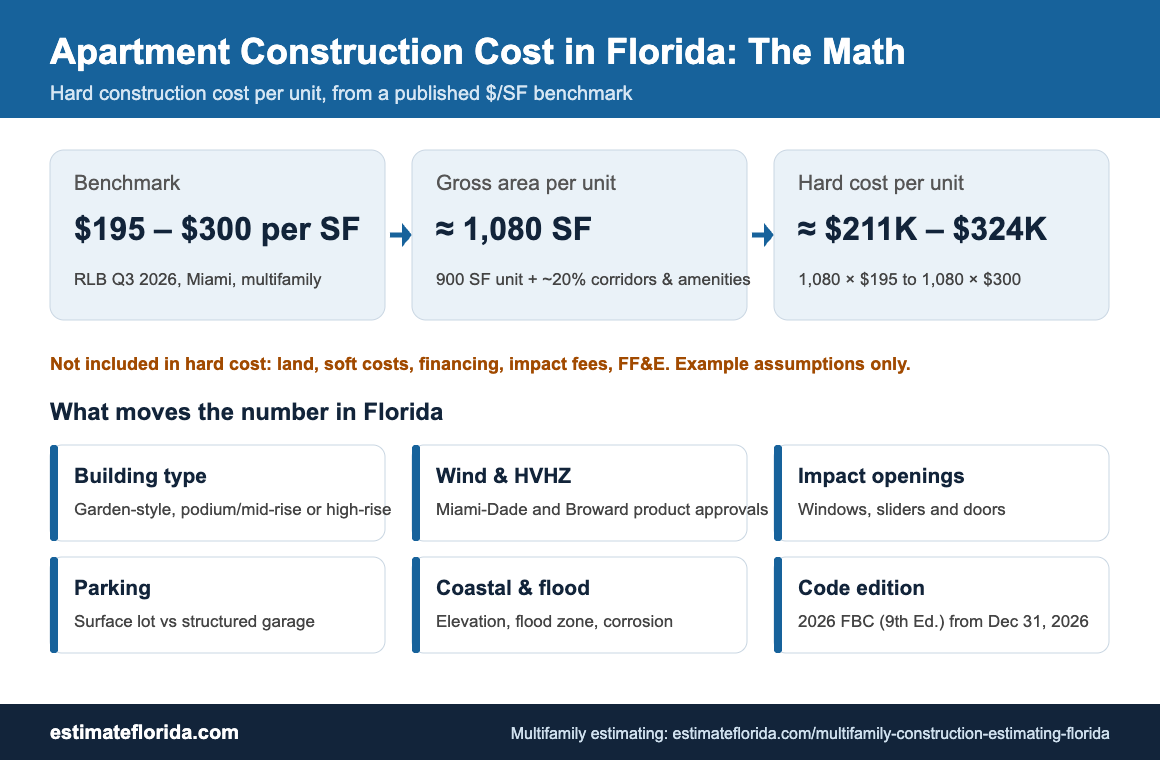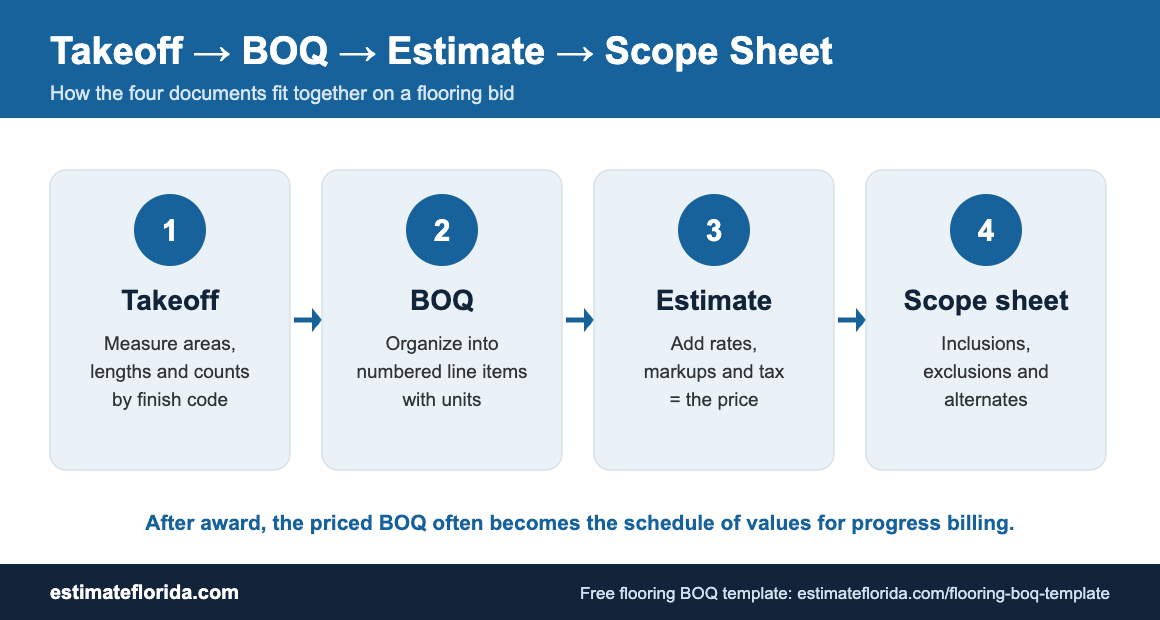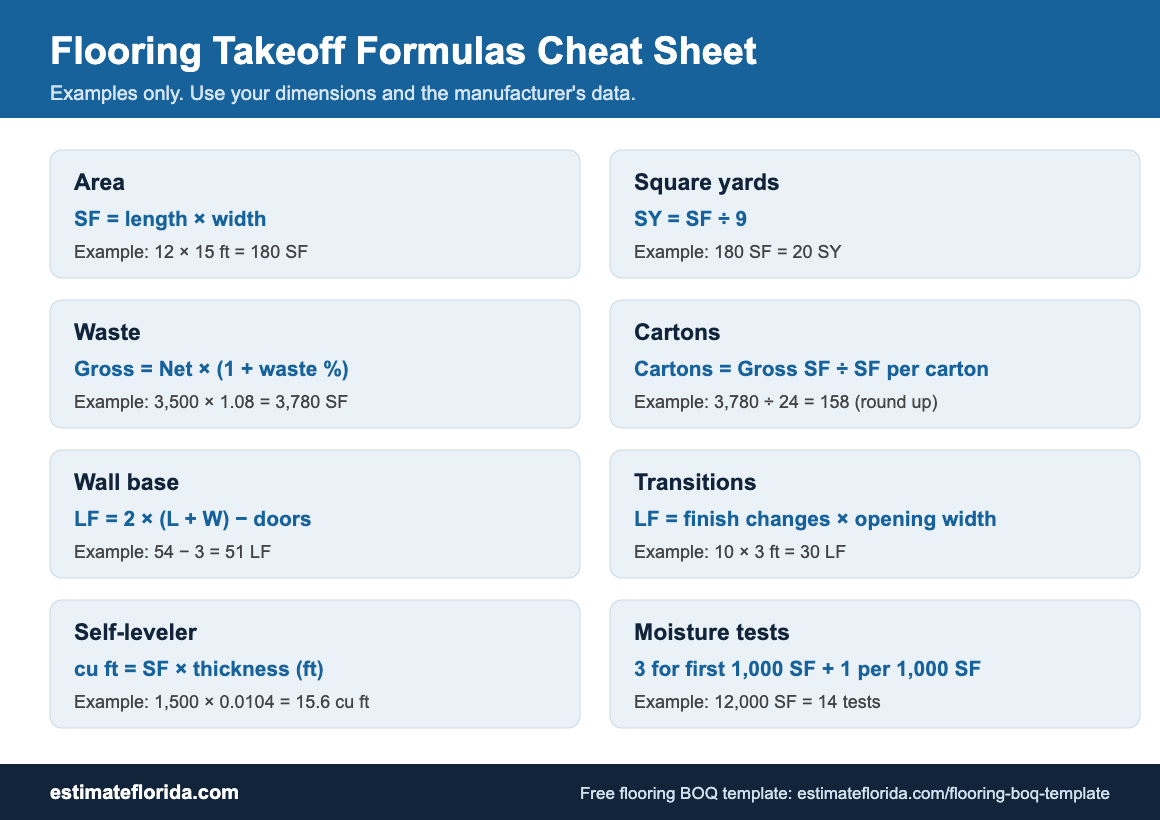
If you are a contractor, developer, or estimator in Florida and want to learn how to create BOQ in Excel, this guide will walk you through the entire process step by step. A Bill of Quantities is one of the most important documents in construction estimating, providing a clear, itemized breakdown of all work, materials, and costs for a project. For Florida contractors working on single-family homes, townhomes, small commercial buildings, and renovation projects, a well-structured BOQ in Excel is essential for accurate bidding, financing, progress billing, and cost control.
 Buy Construction BOQ Template at $97 Only
Excel is the preferred format for most Florida contractors because it is easy to customize, uses simple formulas for automatic calculations, and is widely accepted by owners, lenders, and consultants. In this article, you will learn what a construction BOQ includes, how to set up your own BOQ Excel template, which sections and columns to use, and how to include Florida-specific items such as slab-on-grade foundations, concrete block walls, stucco finishes, tile roofing, hurricane straps, and impact-resistant windows. You will also see how a ready-made professional template can save time when preparing estimates for multiple projects.
What Is a BOQ and Why It Matters for Florida Construction Projects?
A Bill of Quantities, or BOQ, is a structured list of work items that describes every significant activity required to complete a construction project. Each item typically includes a clear description, unit of measurement, quantity, rate, and total amount. In residential and small commercial construction, the BOQ covers all major trades such as concrete, masonry, framing, roofing, finishes, basic MEP, and site work.
In Florida, a BOQ is commonly used for:
-
Bidding and subcontractor comparisons.
-
Budgeting and financing approvals from banks and lenders.
-
Progress billing and draw requests during construction.
-
Change order pricing and cost tracking.
-
Final account settlement and closeout.
The audience for a construction BOQ includes general contractors and builders, subcontractors such as concrete, masonry, and roofing crews, developers, owners, construction managers, and site engineers. A well-prepared BOQ brings clarity to all parties and reduces disputes during execution.
Florida has specific construction practices that affect how a BOQ is structured. Common features include slab-on-grade foundations, monolithic slabs, concrete block construction, stucco exterior finishes, tile or metal roofing, hurricane straps, and impact-resistant windows and doors in coastal zones. Flood zone requirements may also affect slab elevations, fill requirements, and drainage provisions. A Florida-focused BOQ should reflect these local conditions so that estimates are accurate and realistic.
Buy Construction BOQ Template at $97 Only
Creating a Bill of Quantities (BOQ) is a fundamental skill in construction management and costing. It allows project managers, clients, and contractors to understand the exact scope of work and, most importantly, to estimate costs accurately.
This guide uses a practical example—a Residential House Construction project—to demonstrate how to build a functional BOQ from scratch using Microsoft Excel.
We will move from initial raw data data to a finished, professional costing template through four key stages:
-
Establishing the Goal (The Template)
-
Data Structuring and Organization
-
Quantification and Measurement
-
Pricing and Finalizing for Tender
Buy Construction BOQ Template at $97 Only
Step 1: Define the Output (The Final BOQ Template)
Before we begin inputting data, we must define the final structure of the BOQ. A standard BOQ in Excel needs clear, consistent columns to facilitate measurement, pricing, and summation.
Here is the finalized objective for this guide:

Essential Excel Setup (as seen in Figure 1):
-
Standardize Columns: Establish the standard set of seven columns seen above (Item No., Description, Unit, Quantity, Rate, Total Amount, Remarks).
-
Aesthetic Continuity: Use formatting (like the blue headers in the example) to keep the data professional and readable.
-
Formulas: The ‘Total Amount’ column must always use a simple formula (e.g.,
=Quantity * Rate) to ensure automation.
Step 2: Structure Raw Data (Data Organization)
A BOQ is not created by guessing costs; it is a meticulous translation of architectural drawings and specifications into structured line items. The first step is structuring this data before calculating anything.
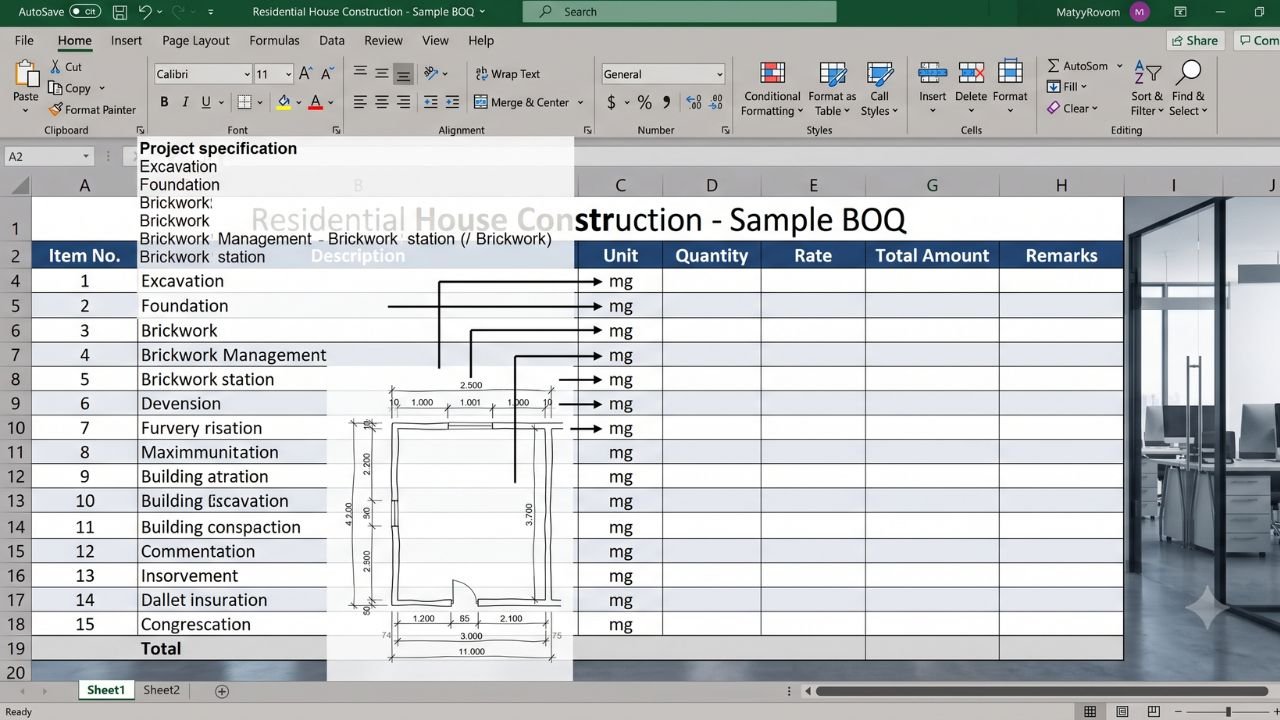
This image visualizes the contrast between a messy project specification and the organized structure we must achieve in Excel:
How to Execute Step 2:
-
Analyze the Source: Examine drawings, engineering specs, and scope documents.
-
Define Sections: Break the project down logically (e.g., SITE WORK, FOUNDATION, SUPERSTRUCTURE, FINISHES).
-
Map to Columns: As shown in Figure 2, translate vague text (“We need concrete foundation work”) into precise column entries (“FOUNDATION – Concrete Slab,” “m³”).
-
Keep Costing Blank: Focus entirely on establishing the correct Item No., Description, and Unit. Do not touch ‘Rate’ or ‘Total’ yet.
Step 3: Measure and Quantify (Calculation)
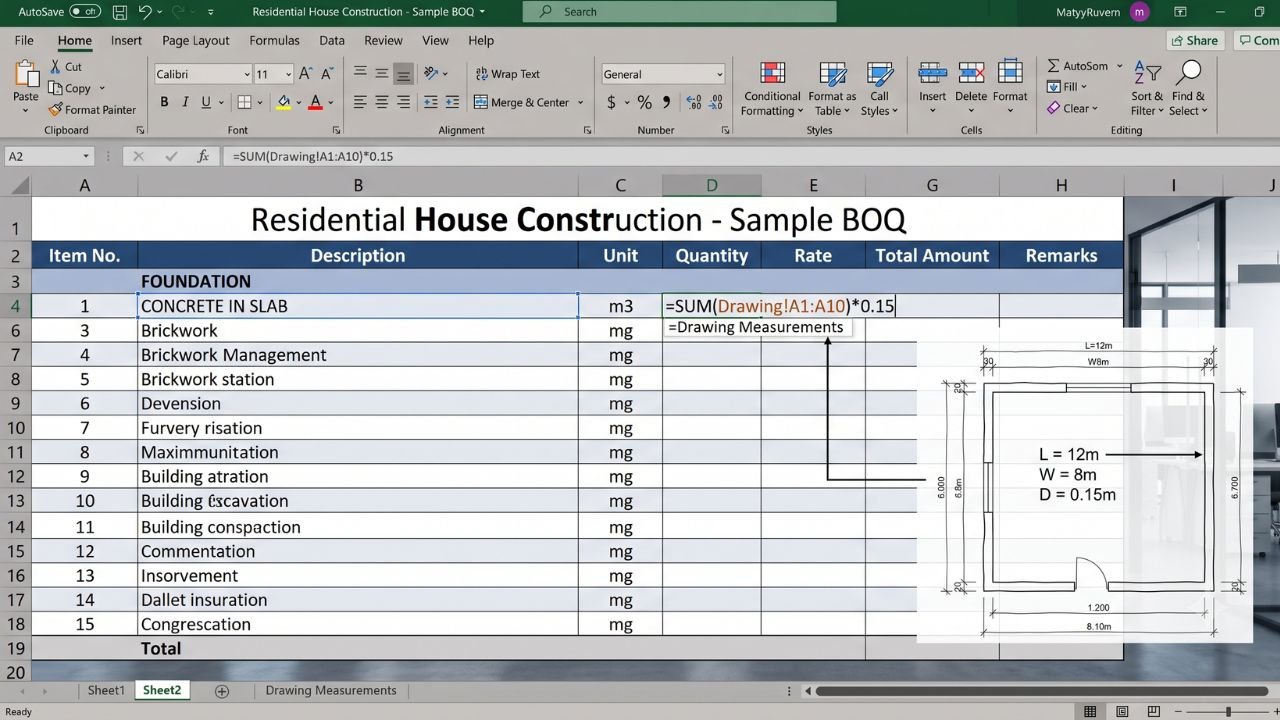
Now that the structure is defined (Step 2), we move to the core technical task: quantification. This is the process of measuring specific items from the drawings and inputting their calculated total into the BOQ. We are moving from listing items to measuring them.
This visualization focuses intently on the measurement of a single, complex item:
How to Execute Step 3:
-
Reference Drawings: Use architectural and structural drawings (as seen in Figure 3) to find dimensions.
-
Calculate Quantity: For items like concrete (volume, m³), rebar (weight, tons), or tiles (area, m²), use Excel formulas to calculate quantities directly from dimensions (e.g.,
=Length * Width * Depth). -
Excel Automation: Use separate sheets in Excel to list detailed take-off measurements, and then use cell references (e.g.,
=Sheet2!C15) to link the total measured quantity back to the main BOQ. This keeps the main sheet clean and verifiable.
Step 4: Price and Finalize (The Tender Process)
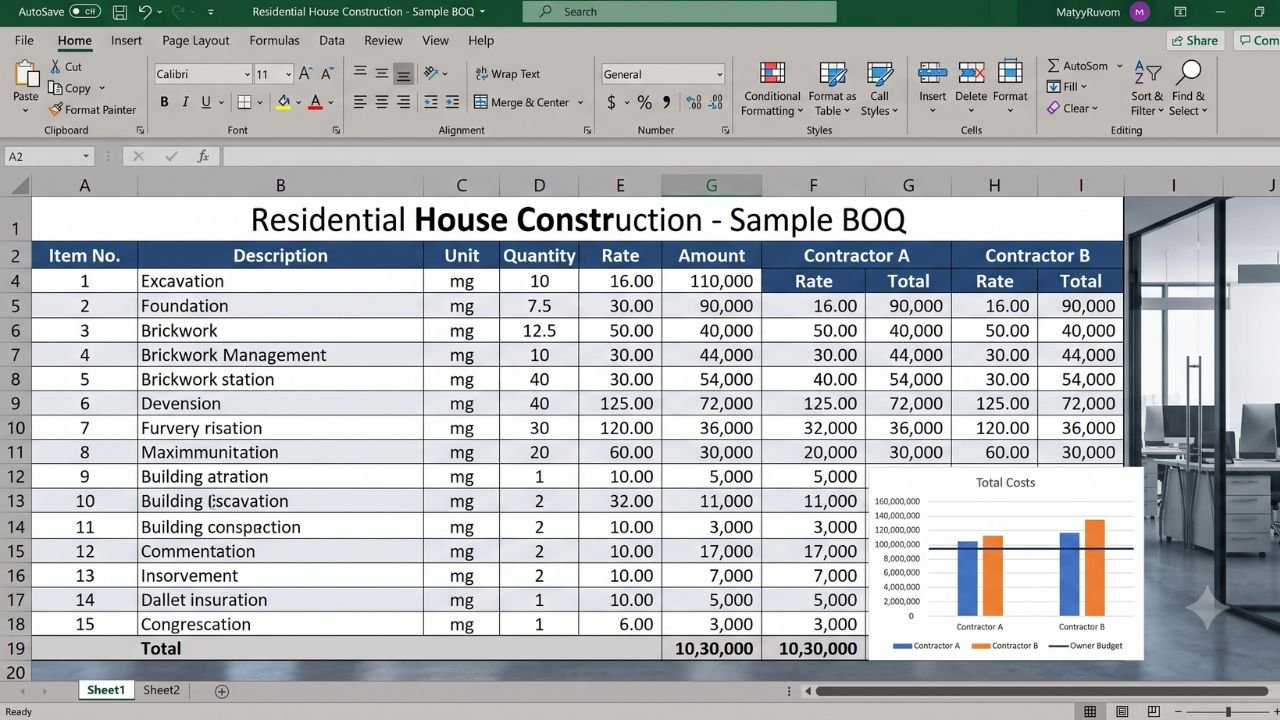
We now have structured data (Step 2) and measured quantities (Step 3). The final step is pricing the work to find the total estimated cost. This is the stage where contractors provide their ‘Rates’, or where you generate your own cost estimate.
This image visualizes the ultimate purpose of the BOQ—comparing multiple costing scenarios (tendering) based on the fixed quantities we just defined:
How to Execute Step 4:
-
Generate Estimates: If you are the owner, generate your own “Rate” column (e.g., historical data or cost manuals).
-
Compare Tenders: If you are issuing a tender, provide only the measured quantities (as completed in Step 3) to contractors. Ask them to fill in only their ‘Rates’ (as shown in Figure 4, Contractor A vs. Contractor B).
-
Finalize Totals: The pre-established formula (
=Quantity * Rate) now auto-calculates the totals. Use Excel sum formulas (=SUM(Total_Range)) to calculate the Grand Total. -
Visualize: Use Excel charts (like the bar graph in Figure 4) to visualize the summary data, comparing bidder totals against your own budget for quick decision-making.
Buy Construction BOQ Template at $97 Only
Why Use Excel to Create Your BOQ?
Excel remains one of the best formats for preparing a construction BOQ Excel file because it is flexible, familiar, and easy to manage.
Main advantages of Excel for BOQ
-
Easy to customize for different project types: custom homes, townhomes, small retail, offices, and renovations.
-
Formula-based calculations: automatic computation of amounts using Quantity × Rate.
-
Subtotals and grand totals: use SUM formulas to calculate section totals and overall project cost.
-
Widely available: most contractors, project managers, and developers already use Excel or Google Sheets.
-
Print-ready and shareable: easy to format, print, email, and present to owners, lenders, and subcontractors.
-
Reusable template: once you create a good BOQ format, you can reuse it for multiple Florida projects with minor adjustments.
A well-structured Excel BOQ reduces manual errors and makes updates much faster, especially when prices or quantities change. For Florida contractors who work on similar project types repeatedly, having a standardized BOQ Excel template can save hours of setup time on each new estimate.
Sample BOQ Structure and Columns in Excel
A good how to create BOQ in Excel guide should start with a clear column structure. Using consistent column headings makes the estimate more professional and easier to update across multiple projects.
Recommended Excel columns
You can also add optional columns such as:
-
Material rate.
-
Labor rate.
-
Equipment rate.
-
Waste allowance.
-
Trade category.
-
Drawing reference.
Formula setup in Excel
Your BOQ Excel template should use formulas, not manual totals.
Use Excel formulas for:
-
Amount = Quantity × Rate.
-
Section subtotal = SUM of section items.
-
Grand total = SUM of all sections.
-
Optional contingency or tax calculations.
-
Markup or overhead percentage if needed.
This makes the sheet easier to maintain and safer for repeated revisions. You can also use separate sheets or tabs for:
-
Summary: overall totals and section summaries.
-
Detailed BOQ: full itemized list by trade or section.
-
Rate analysis or assumptions: pricing basis and notes.
Sample BOQ for a Florida Single-Family Home (Illustrative)
The following table shows an illustrative sample BOQ Excel format for a Florida-style single-family home with slab-on-grade, concrete block, stucco, and tile roof. This is only an example of format and item style. Actual quantities and rates will vary by design, location, and finish level.
Illustrative total
The above sample is only meant to show the format and type of items for a Florida construction estimate Excel project. A full BOQ will have many more items such as fine grading, landscaping, driveway, fencing, plumbing and electrical rough-ins, and finish fixtures.
Common Mistakes When Creating BOQ in Excel
Many contractors and estimators make avoidable mistakes when preparing a how to create BOQ in Excel file.
Common mistakes to avoid
-
Missing Florida-specific items: hurricane straps, impact windows and doors, proper roof underlayment, and flood-related requirements.
-
Vague descriptions: concrete work or roofing without specifying slab thickness, PSI, roof type, or scope.
-
Inconsistent units: mixing square feet and square yards, or cubic feet and cubic yards, without clear conversion.
-
Ignoring waste and overbreak: not allowing for concrete overbreak, block cutting waste, or tile breakage.
-
Hard-coded totals: typing totals instead of using formulas, causing errors when quantities or rates change.
-
No section breakdown: one long list without logical grouping, making the BOQ hard to read and compare.
These errors can lead to wrong estimates, budget issues, and disputes. A structured template reduces these risks significantly.
Buy Construction BOQ Template at $97 Only
How Estimate Florida’s Construction BOQ Template Helps
If you want a ready-to-use BOQ structure instead of building one from scratch, you can use our Construction BOQ Template here: Construction BOQ Template
Estimate Florida designed this template specifically for Florida residential and small commercial projects. It includes pre-defined sections for sitework and earthwork, concrete and foundations including slabs and footings, masonry or framing, roofing for tile, metal, or shingle systems, exterior and interior finishes, doors and windows, basic MEP, and site improvements.
Key benefits of the template
-
Saves hours of setup time for each new Florida project.
-
Reduces risk of missing items, wrong units, or calculation errors.
-
Provides a consistent, lender- and owner-ready BOQ structure.
-
Makes it easy to update quantities or rates without breaking the sheet.
This template is built from real Florida projects and refined over years of estimating work in the state. If you need help with broader construction estimating, Estimate Florida also provides concrete estimating services Florida, electrical estimating services, structural steel estimating services, general estimating services, and project-specific support through the contact page.